












Complete Buyer’s Guide to Visitor Management Systems and Software for 2025
Your front desk probably isn’t cutting it anymore. Manual sign-in sheets. Awkward badge printers. Visitors management system wandering around unescorted. It’s not just old-school, it’s risky.
In a world where security, efficiency, and experience matter more than ever, businesses are upgrading to smarter tools like a visitor management system.
And in 2025, it’s no longer a “nice to have.” It’s a must. Organizations worldwide are expected to implement some form of digital guest check-in solution by mid-2025. Why? Because it’s faster.
Smarter. And safer.
Let’s dive into the what, why, and how of choosing the perfect visitor tracking software for your space.
What Is a Visitor Management System?
It’s more than a digital sign-in sheet.
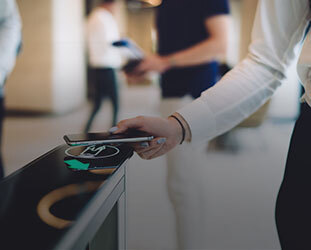
A visitor management system (VMS) is software (often paired with a tablet or kiosk) that automates how guests, vendors, and even delivery personnel check in and out of your facility.
It captures visitor details, notifies hosts, prints badges, logs visits, and tracks movements, all without breaking a sweat.
Why Traditional Sign-In Sheets Are a Problem
Let’s break it down:
- Data privacy nightmares – Paper logs are a GDPR/IT nightmare waiting to happen.
- Zero tracking – Want to know who visited last Thursday at 3:48 PM? Good luck.
- Manual chaos – Front desk staff juggling phones, forms, and confused guests? Yikes.
- Security black holes – Unverified visitors roaming around is just plain dangerous.
In short, they don’t work anymore. And your business deserves better.
What to Look for in a VMS in 2025
So you’re sold on upgrading. But with so many options floating around, how do you know which one’s worth your money? No worries, we’ve got your back.
Here’s a solid checklist of features your visitor management software has to have.
Self-Check-In Kiosk
Visitors should be able to check themselves in, no hand-holding. Just walk up, tap a few buttons, done.
Pre-Registration
Let your team pre-register guests before they arrive. Send them a QR code or link for fast digital guest check-in upon arrival.
Host Alerts, Instantly
As soon as someone checks in, the host gets a ping via SMS, email, Slack, Teams… whatever works. No more waiting around awkwardly.
Badge Customization
Make badges that look good. Add photos, names, logos, and visit details, basically, make it official without the old-school sticker shock.
NDA & Form Signing
Need visitor management to sign an NDA or safety waiver? Do it digitally at check-in. No paper. No mess.
Say Cheese! (Photo Capture)
Snap a quick pic at check-in. Perfect for badges and for knowing exactly who’s inside.
Watchlists/Blacklists
Keep certain people out, or get notified if someone on your “do-not-let-in” list shows up. Safety first.
Emergency Evacuation List
In case something goes sideways, you’ll know exactly who’s in the building and where they were last checked in. Accessible from anywhere.
Door Access Integration
Link the system with your access control. So when a guest checks in, they also get access to the right doors. Super slick.
Reporting & Insights
Want to know your busiest hours or how many contractors rolled through last month? Pull up a report, boom, done.
Strong Data Privacy
Look for encryption, secure cloud storage, and compliance with all the privacy laws. Your data (and your visitors’ data) needs to be locked down.
Scalable Setup
Whether you’re running a cozy single office or expanding to a dozen locations, the reception automation tool should grow with you, no fuss.
Manage Multiple Locations
One login, one dashboard, total control. Run all your sites from the same place without losing your mind.
Handle Deliveries & Contractors
Not just for guests, manage packages and frequent vendors, too. Specialized workflows make the chaos manageable.
Cloud vs On-Premise: Which to Pick?
Most modern VMS platforms are cloud-based, which is good news for scalability and visitor management. You can log in from anywhere, see real-time visitor stats, and make changes on the fly.
But if you’re a super high-security facility (government, defense, etc.), you might prefer on-premise for total data control. That said, cloud still wins on flexibility most of the time.
Cost: What Should You Budget?
VMS or reception automation tool pricing varies a lot, depending on features and scale. You’ll typically see:
- $40–$200/month for small to mid-sized businesses
- $500+ for enterprise-level setups with integrations, multi-site support, etc.
- Hardware (like kiosks or iPads) is usually extra but not bank-breaking
Wrapping It Up
Getting a modern visitor management system isn’t just about making check-ins faster. It’s about stepping up your security game, giving guests a smoother experience, keeping things running efficiently, and staying on top of compliance.
The old-school logbook? It belongs in a museum.
If you’re looking for a smart, all-in-one solution, check out what IDCUBE has to offer. We’re experts in digital security and identity visitor management. We’ve built systems that make your front desk feel like a well-oiled machine. Ready to upgrade? Let’s talk.