













Touchless biometric access
Access360 enables contactless entry to ICUs, labs, and sterile zones via facial recognition, sparing clinicians from touching shared, non-sterilized credentials.

Rapid emergency response & door interlocking
One-click lockdowns and evacuations protect patients and staff, while multi-door interlocking maintains sterility and pressure in ORs and isolation rooms.

Cybersecurity & compliance-ready
Encryption, role-based access, audit trails safeguard patient and pharmaceutical data, supporting SOC 2, ISO 27001/27018, GDPR, and 21 CFR 11.

Security intelligence & operational efficiency
AInsights aids incident investigations, flags outdated staff credentials, and tracks ward occupancy and footfall for resource planning and utility savings.

Flexible access policies
Doors automatically switch between open and restricted modes by schedule, allowing OPDs/ward access during visiting hours and restricting it afterward.
Access control management for healthcare facilities
A healthcare facility can contain public areas, clinical departments, staff-only zones, pharmacies, R&D laboratories, and high-security areas. These may be located within the same building or across its branch locations. Each requires a different level of access without slowing down day-to-day operations.
Access Master enables healthcare organizations to centrally manage users, credentials, door and elevator access, permissions, and security events. Access policies can be defined according to role, department, location, shift, and security level, helping organizations control sensitive areas while supporting everyday clinical workflows.
Healthcare R&D labs contain specialized equipment, sensitive research data, and valuable intellectual property that require controlled physical access.
Access Master helps healthcare organizations restrict and monitor access to R&D areas based on user roles, departments, schedules, and security levels. This allows authorized researchers and staff to access designated areas while limiting entry to sensitive spaces.
Use Case:
Imagine a hospital R&D lab has four areas:
- Zone 1: Reception
- Zone 2: General research area
- Zone 3: Specialized research lab
- Zone 4: Highly restricted equipment room
A data scientist may enter Zones 1 and 2 but cannot enter Zones 3 or 4.
A lead scientist may enter all four zones.
A cleaning worker may enter Zones 1 and 2, but only after working hours. So, the same building does not mean everyone gets the same access
Healthcare facilities have multiple floors with different access requirements. Patient wards, operating areas, laboratories, pharmacies, and administrative floors may need access limited to specific staff or visitors.
Access Master can integrate elevator access with access permissions. It allows organizations to control which floors a person can access based on their role, department, or authorization.
Use Case: A nurse assigned to the ICU can use her credential to access the ICU floor, while a visitor can only access the designated patient floor. A pharmacy employee can access the pharmacy floor but cannot access restricted clinical or research areas.
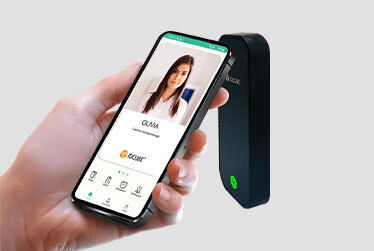
Facial recognition provides touchless access to ICUs, cleanrooms, laboratories, and research zones, where staff should avoid touching shared cards or key fobs. For doctors and paramedical staff who move between hospitals in a day, physical credentials are also easy to forget or lose. Access Master supports facial recognition, smart cards, mobile credentials, Apple Wallet, Google Wallet, and dynamic QR codes, so organizations can match the credential to the person and the area.
AI-powered facial enrollment validation checks face angle, lighting, background, and image quality during onboarding, creating reader-ready facial credentials and preventing enrollment errors.
Access policies can also adapt to each situation. High-security areas can require multi-factor authentication, such as face plus PIN or face plus card, while general areas allow a single credential for faster movement. Temporary access can be issued for a fixed time window and expires automatically. Policies such as two-person authorization and anti-passback add accountability in controlled areas.
Use Cases:
- Visiting specialists: A specialist scheduled across three hospitals receives a time-bound QR code or mobile credential instead of separate physical cards for each facility. Access expires automatically after the scheduled visit.
- Shift-based access: ICU nurses can enter the ICU only during their assigned shifts. When a shift ends, access is restricted automatically, with no manual changes needed.
- Controlled drug storage: Entry to a drug store requires two authorized staff members to authenticate together using face plus PIN, creating clear accountability for every access event.
Door interlocking is essential in maintaining cleanroom integrity, controlling airflow, and preventing cross-contamination in hospitals, laboratories, and manufacturing zones.
Access Master supports interlocking between any number of doors to control movement through restricted environments.
Use Case: In a sterile lab, a laboratory professional opens the outer door to enter the airlock. The inner cleanroom door automatically locks until the outer door is completely closed.
Pharma and research facilities operate under strict regulatory requirements, including US FDA 21 CFR Part 11, GDPR, ISO 27001, and ISO 27018, to ensure data security, traceability, and regulatory compliance.
Access Master supports detailed, time-stamped electronic audit trails and strong identity verification to help organizations meet applicable regulatory requirements, track access events, and protect sensitive data across healthcare and pharmaceutical environments.
Use Case: During a pharma quality audit, an administrator retrieves the complete access history of a controlled research area, including who accessed it, when access occurred, and the credential used, providing a secure, traceable electronic record for audit review.
Flexible access control is essential in healthcare facilities to maintain security, streamline staff movement, and manage access to restricted areas based on roles, schedules, and security requirements.
Access Master enables administrators to customize access rules by area, staff role, and operating hours. It supports scheduled access, credential-based permissions, additional verification methods, and configurable reader actions for enhanced security and operational efficiency.
Use Case: During OPD hours, authorized staff can activate passage mode to keep consultation rooms accessible without repeated card taps. Once clinic hours end, the doors return to their secured state. In general wards, access can be restricted based on staff roles and shifts, while sensitive areas can require additional PIN verification or two-person authorization.
Emergency access control is essential in healthcare facilities to ensure safe evacuation, enable rapid security responses, and maintain operational continuity during fire or security emergencies.
Access Master supports configurable emergency actions, including automatic door unlocking for evacuation and lockdown of restricted areas during security threats. Emergency rules can be triggered through the software interface or locally using supported reader actions, even when the network or central server is unavailable.
Use Case: During a fire emergency, a hospital security operator activates the emergency door-unlock rule through the software interface to facilitate safe evacuation. If the network is unavailable, an authorized operator can trigger the configured rule locally by double-tapping a supported reader or entering a designated PIN, ensuring emergency access control functions without depending on the central server.
Efficient vehicle access management is essential in healthcare facilities to ensure rapid emergency response, secure campus entry, and seamless movement of authorized vehicles without unnecessary delays.
Access360 enables administrators to register ambulances, staff vehicles, and other authorized vehicles through the IDCUBE portal and assign RFID tags for identification. Integrated long-range RFID readers and ANPR cameras verify vehicle credentials and license plates, allowing authorized vehicles to enter automatically while preventing unauthorized access.
Use Case: During a medical emergency, an ambulance transporting a critical patient approaches the hospital’s emergency gate. The long-range RFID reader detects its windshield tag, while the ANPR camera verifies its license plate. Once authorized, the barrier opens before the ambulance reaches the gate, allowing uninterrupted access to the emergency bay without unnecessary delays.

Visitor management for hospitals and healthcare facilities
Healthcare facilities welcome a wide range of visitors, from patients and their family members to contractors, medical representatives (MRs), consultants, and service providers. Managing their movement requires more than simply issuing a visitor badge.
ezvisit10 supports the visitor journey from registration and approval through verification, temporary credentials, check-in, access, and check-out. Organizations can define visitor permissions around the host, destination, visit type, and approved time while maintaining visibility into visitor activity.
Assign visitors access only to the areas they need to visit. For example, a family member visiting a patient can receive a QR credential that allows access to the assigned patient floor and room, while blocking access to ICUs, nursing stations, pharmacies, and staff-only areas.
Use Case: A visitor is approved to visit a patient on the 4th floor. Their digital pass allows them to use the elevator and enter the assigned ward, but a reader blocks access if they try to enter the ICU or another restricted floor.
Manage visitor access to authorized areas by defining specific access times. Issue digital passes or credentials to reduce reliance on paper-based passes.
Physical passes can be difficult for visitors to keep safe, and a lost pass may require reissuance by the admin team. They can also be shared or used by another person, creating additional access-control concerns.
Dynamic QR-based digital passes help reduce this risk by providing a secure, time-bound credential that can be managed digitally. This reduces the hassle for both visitors and administrators while giving security teams greater control over visitor access.
Use Case: A patient’s visitor can be given ICU access for a defined time, such as 10:00–11:00 AM or 5:00–6:00 PM. QR passes automatically get revoked after the assigned time.
Integrate visitor management with hospital management systems to map patient names and patient IDs with their visitors, and connect hospital staff with contractors, vendors, and service providers. Visitor records can include authenticated mobile numbers, photographs, host details, visit purpose, and time-stamped access activity for accurate record-keeping.
Visitor credentials can also track movement across the facility. Attempts to enter restricted areas can be flagged, helping security teams identify potential concerns before they develop into incidents. Historical visitor records can reveal repeat-visit patterns across patients, staff, contractors, or vendors, giving security teams greater context for investigation.
AInsights can analyze these records to identify unusual visitor patterns and highlight potential anomalies for proactive security action rather than relying only on post-incident investigation.
Use Case: A hospital identifies a visitor who has repeatedly visited multiple unrelated patients over a defined period. AInsights flags the unusual pattern for security review, allowing the team to verify the visitor’s purpose and take appropriate action before a potential security issue escalates.

Workforce attendance & leave management for healthcare
Healthcare and life sciences facilities operate around the clock with rotating shifts and diverse staffing needs. Missing staff can affect patient care, while manual attendance tracking can lead to buddy punching, inaccurate work-hour records, overtime errors, and leave management challenges.
IDCUBE helps healthcare organizations automate attendance and leave management by connecting workforce records with access activity. Its time-attendance and leave management software, Attendio5, provides accurate attendance records, supports complex shifts, and gives managers visibility into staff presence across facilities.
Create attendance rules and shift groups for different job roles, including fixed-hour and flexible shifts.
Use Case: A hospital can assign nurses to a night shift from 7:00 PM to 7:00 AM and doctors to a different shift schedule. The system applies the correct attendance rule to each employee and records their check-in and check-out against the assigned schedule.
Use location-based attendance rules to record employee check-ins and check-outs only when they are within approved facility boundaries.
Use Case: A healthcare organization can set a geofence around a hospital, medical camp, or temporary site so staff can mark attendance using their mobile phones without requiring a biometric reader or on-site access-control infrastructure. This is especially useful for remote or temporary locations where installing dedicated readers may not be practical.
Connect Attendio5 with third-party HRMS and hospital management systems through secure APIs to transfer attendance records for payroll and workforce processing.
Use Case: A hospital can automatically send attendance data from Attendio5 to its existing HRMS, eliminating manual data entry and reducing errors during payroll processing.

Mobile credentials for convenient healthcare access
Healthcare workers move between wards, operating rooms, laboratories, pharmacies and other restricted areas throughout their shifts, often across multiple buildings or hospital locations. Physical cards can be misplaced, forgotten or lost, and routine tasks like marking attendance, applying for leave or inviting a visitor usually mean logging into separate systems.
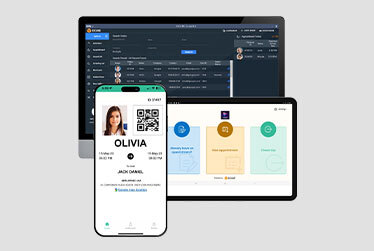
GreenID, IDCUBE’s mobile app for Android and iOS, brings these everyday tasks into a single app on the user’s smartphone. Staff can unlock doors with NFC/Apple Wallet or Google Wallet, BLE or dynamic QR credentials. The same app lets them mark attendance, raise on-duty (OD) and leave requests, invite visitors, and share virtual ID badges and digital business cards. Authorized security personnel can also run emergency evacuations and lockdowns, monitor doors and alarms, and manage alarms during maintenance, all from their phone.
Healthcare professionals need quick access to restricted areas while moving between departments and responding to changing clinical demands. GreenID lets authorized staff use their smartphones as access credentials instead of physical cards. Depending on the reader and configuration, staff can open doors using NFC, BLE, or time-based QR codes that refresh automatically to prevent sharing or reuse. NFC and BLE credentials can be added to Apple Wallet or Google Wallet for tap-and-go access.
Use Case: A visiting consultant who works across multiple hospitals uses GreenID to access authorized departments at each facility without carrying separate physical cards.
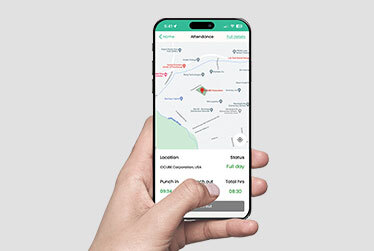
Staff can mark attendance from their phones within geo-fenced hospital boundaries. They can also view their attendance history, including login and logout times and total working hours.
Staff who work outside their base location or in the field can raise a Geo-tagged OD request, verified by their phone’s GPS coordinates. You can also submit a manual OD request with their off-site working hours, or a request to correct a missed punch-in or punch-out. Leave requests are submitted in a few taps. Managers can approve or reject OD and leave requests from the app, and every request shows a clear status: pending, approved, or rejected.
Use Case: A home-care nurse visiting patients across the city raises a Geo-tagged OD request from a patient’s home, verified by her phone’s location. Her nursing supervisor, busy on the ward floor, approves the request along with the pending leave applications directly from GreenID, with no need to log into a desktop HR portal.
Hospital staff can manage their visitors directly from GreenID in two ways. I. With Send Link/QR, the host shares a registration link so visitors can enter their own details before arrival. ii. With Send Invite, the host creates a visitor pass and sends it to the visitor in advance. Host can track all these details within the mobile app.
GreenID also keeps staff and managers informed through instant alerts about visitor arrivals and approval requests for online visitor registrations.
Use Case: A biomedical department head needs a service engineer to repair an MRI machine, so she sends him an invite with a visitor pass from GreenID the evening before. When he checks in at reception the next morning, she gets an arrival notification and walks down to escort him to the imaging department.
During emergencies, every second counts. GreenID lets authorized security personnel trigger one-click emergency evacuations or lockdowns directly from their phones, wherever they are within campus or outside. Security teams can also monitor live door and alarm status, mask or unmask alarms, and disarm door alarms for scheduled maintenance, then re-arm them once the work is complete.
Use Cases:
- An HVAC technician needs to service the airflow system near an operating theatre, which means the OT door will stay open longer than usual. The security supervisor disarms the door alarm from GreenID to prevent false alerts, monitors the door status while the work is underway, and re-arms the alarm once the technician leaves.
- During a suspected infant abduction alert, the same supervisor can lock down the maternity wing with a single tap.
Replace plastic ID badges and paper business cards with sustainable digital alternatives. GreenID helps healthcare organizations reduce waste and operating costs while making professional networking and follow-ups easier.
Virtual ID badges
Healthcare staff can carry their employee ID badges on their smartphones, eliminating the need for printed plastic cards and reducing issuance, replacement and distribution costs. GreenID’s unique Security Shadow Wave provides a live visual indicator that helps security personnel distinguish an active badge from a static screenshot.
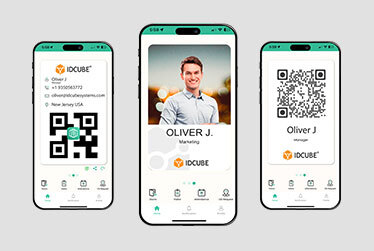
Digital business cards
Doctors, hospital administrators and pharmaceutical professionals can share their contact details instantly through multiple channels:
- Scan to connect: Recipients scan a QR code to save contact details, including name and phone number, directly to their phonebook.
- WhatsApp: Share a digital business card with a personalized message, creating a chat record for convenient future communication and follow-ups.
- LinkedIn: Recipients scan a LinkedIn QR code to view profiles and send connection requests, enabling both professionals to follow updates, exchange insights and maintain long-term connections.
- SMS & iMessage: Share the digital business card through direct messages.
- Email & other apps: Distribute the digital business card through email and other messaging applications available on the smartphone
Users can choose which personal and professional details to display or hide through GreenID’s privacy settings.
Use Cases:
- Sustainable employee identification: A hospital replaces physical ID cards with GreenID virtual badges for doctors, nurses and administrative staff, reducing plastic consumption and recurring printing costs.
- Professional networking: At a medical conference, a cardiologist shares her digital business card through a QR code or LinkedIn, allowing fellow physicians to save her details and maintain professional connections.
- Patient referrals and follow-ups: A specialist doctor shares her digital business card with a referring physician through WhatsApp, adding a personalized message that opens a direct communication channel for future referrals.

AI-powered security intelligence for healthcare & pharma
Modern healthcare facilities contain complex environments where public areas must remain accessible while restricted areas require tight control. Security gaps can put patients and staff at risk, expose sensitive data, enable drug diversion, or compromise valuable research.
After an incident, security teams can struggle to find a specific access event among millions of access logs. They need a clearer view of what is happening across facilities, which risks require attention, and where corrective action is needed.
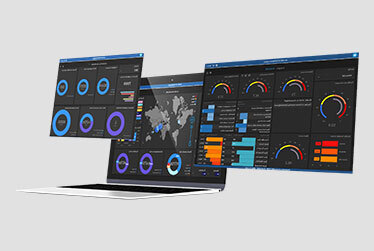
Access360’s AInsights module turns access control data into actionable security intelligence an present these data into a visual dashboard. Its other specialized modules, such as Risk Vision AI, Flow Vision, and Live Count, help security teams identify vulnerabilities, detect unusual access patterns, monitor occupancy, and investigate incidents. This helps them prioritize risks, strengthen emergency preparedness, and take timely corrective action.
Risk Vision AI analyzes facility data to identify vulnerabilities such as dormant credentials, inactive users, repeated denied access, unusual access patterns, and deactivated credentials. It reflects these issues and provides the security team with a vulnerability score so they can understand the critical security issues and prioritize corrective actions.
Use Case: If a hospital detects multiple denied access attempts for some employees, Risk Vision AI can understand the unusual pattern and flag them intelligently for quick investigation.
Flow Vision and Live Count continuously track zone-by-zone occupancy and directional movements across facilities. They monitor headcount against capacity limits and ensure real-time visibility for emergency evacuations & muster reporting.
Use Cases:
- In a pharmaceutical manufacturing facility, an ISO Class 5 cleanroom has a strict maximum capacity limit and requires personnel to pass through designated airlocks in sequence. If multiple technicians enter without registering exits or attempt to bypass the airlock, Flow Vision flags the capacity and anti-passback violation immediately.
- During an emergency evacuation, Live Count gives security managers an immediate view of how many people remain in each designated zone, helping them quickly identify areas requiring attention and speed up emergency response.
How secure is each facility, and which sites need attention first? AInsights helps security teams assess facility security, compare performance across locations, and identify weaknesses that need corrective action. By tracking performance over time, teams can see where security is improving and where gaps remain.
Use Case: A hospital group manages multiple facilities. AInsights reveals that one hospital has a lower vulnerability score than the others due to recurring unresolved alarms and outdated access credentials. The central security team can identify the underlying issues and prioritize corrective action at that site.

Complete healthcare industry coverage
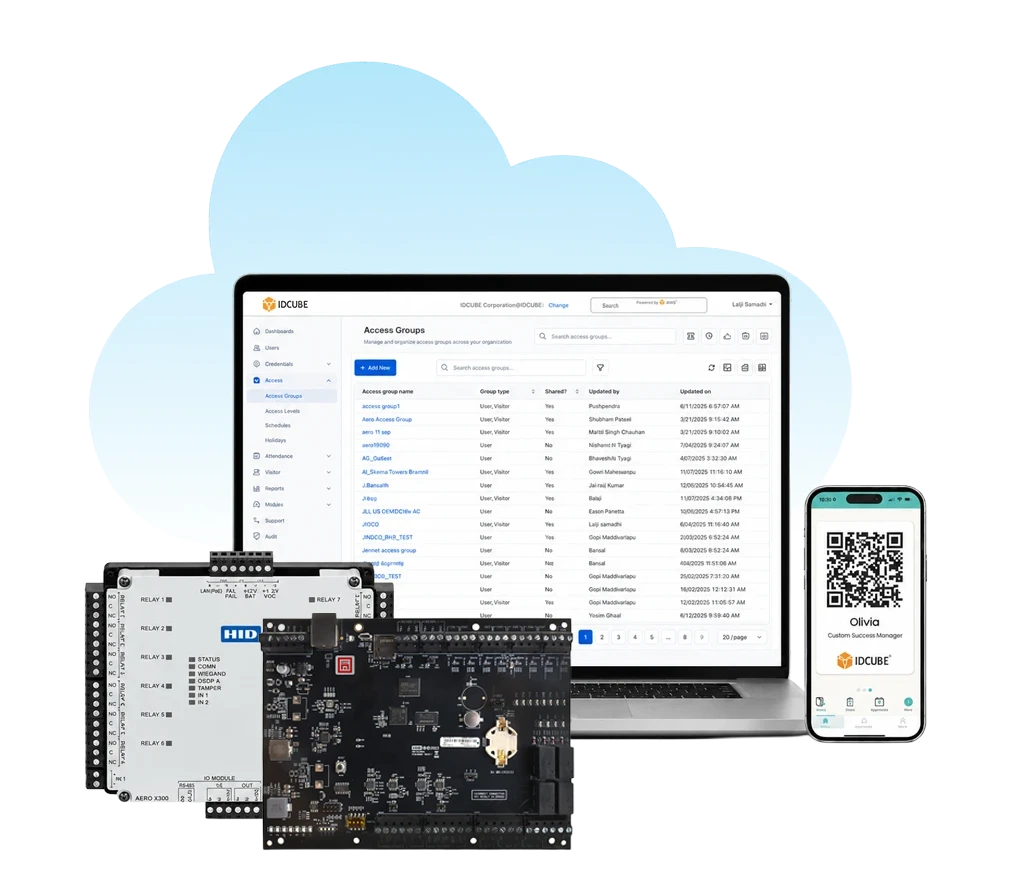
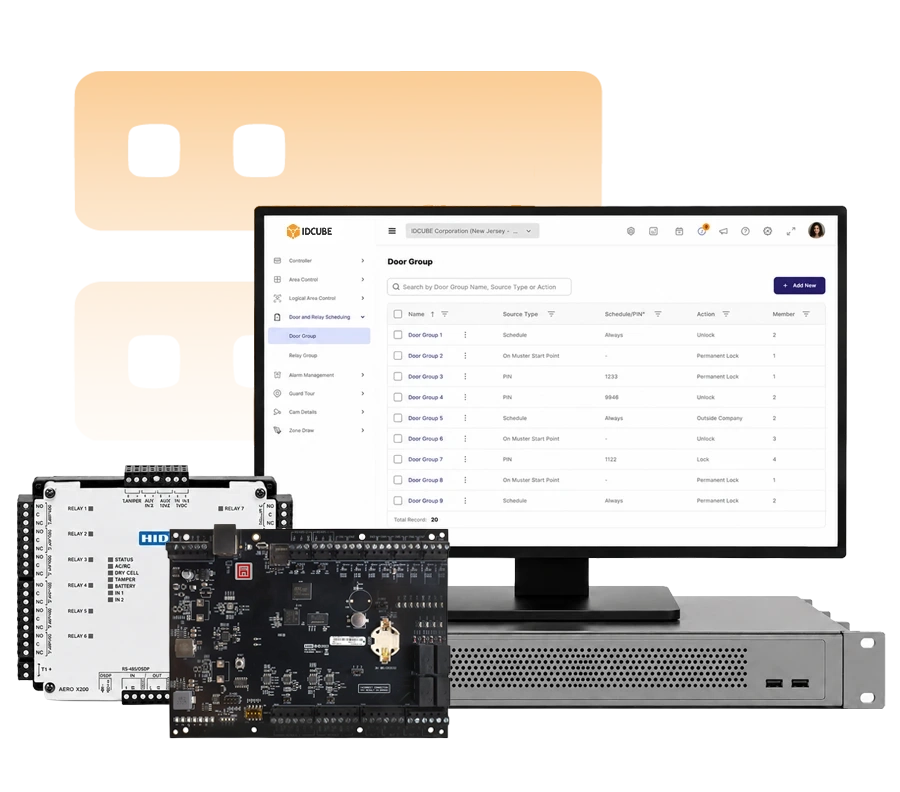
Support secure access across hospitals, pharmacies, blood banks, R&D laboratories, pharmaceutical facilities, biotechnology organizations, and other specialized healthcare environments.
Freedom from vendor lock-in
Access360 works with supported controllers and readers from multiple manufacturers, so healthcare organizations aren’t tied to a single vendor. Keep existing hardware, add new devices as facilities expand, and upgrade at your own pace.

Lower cost of access management
Reduce access management costs by replacing manual administration and disconnected systems with one centrally managed platform.

Always-on reliability
Healthcare never stops, and neither does Access360. The cloud platform runs at 99.9% uptime, with automatic updates and backups handled for you.

Staff onboarding in minutes, not weeks
Automated, zero-touch workflows cut setup time from weeks to minutes, so newly associated doctors, nurses, and contractors are ready to join on day one.

Eco-friendly by design
Mobile credentials, paperless workflows, and cloud hosting reduce plastic, paper, and on-site infrastructure. Replacing 100 ID cards and 10,000 business cards saves about 100 kg of carbon emissions.


AI-Assisted Investigation and Support
AIsha, IDCUBE’s LLM-powered, NLP-based co-pilot, helps investigate access logs and security events using natural language, delivering answers in seconds. Ask troubleshooting questions or get step-by-step guidance anytime, without searching through manuals.
Multi-Entity Fabric
Manage multiple healthcare organizations on a single platform. Each entity independently manages its people and access policies, while authorized staff can use approved permissions across entities. Central security teams get complete visibility and control across all facilities.
Single Sign-On (SSO)
Log in to Access360 with existing credentials via Entra ID, Okta, Google Workspace, LDAP, and more. Fewer passwords, faster access, and centralized identity management for IT.

Your Brand, Your Voice
Personalize the Access360 Core platform and digital credentials with your organization’s branding, identity, and design elements. Deliver a consistent brand experience across every user touchpoint.
Localized for Your Language and Region
Personalize Access360 Core with preferred languages, regional calendars, and time zones. Upload multiple language packs to localize interface labels, while language-agnostic data storage supports information in any language for a seamless experience across regions.
Responsive UI on Any Device
The Access360 Core web application adapts seamlessly to any screen size, allowing administrators and security teams to manage operations from laptops, tablets, or mobile browsers.



Trusted by top leading industries