











Healthcare Access Control: One System to Manage Access Across Your Facility
- What Is Healthcare Access Control?
- Why Healthcare Access Control Needs to Work Differently
- Protecting vulnerable patients
- Securing medicines and hazardous materials
- Data privacy
- Protecting critical infrastructure and assets
- Managing frictionless and constant movement
- Planning Framework for Healthcare Access Control
- Start With Zones: A Simple Four-Level Model
- Give Each Person the Right Access, at the Right Time with RBAC
- Visitors and Contractors: The Gap Most Hospitals Miss
- Protecting Patient Data: Where Physical Access Control Fits
- Keep a clear audit trail.
- Revoke dormant credentials.
- Review access regularly.
- From Reviewing Logs to Spotting Risks Early
- Emergencies and Outages: Plan for the Worst Day
- Where to Deploy: Cloud or Self-Hosted?
- Final Thoughts
- How Does IDCUBE Access360 core Help?
- Frequently Asked Questions
- Does an Access Control System Make a Hospital HIPAA or GDPR Compliant?
- Is Facial Recognition Suitable for Hospitals?
- What Happens to Hospital Doors During a Network or Power Outage?
- What Healthcare Areas Can Be Covered Under Physical Access Control?
Security isn’t about locks. It’s about trust.
In a hospital, patients trust that only the right people can reach them. Staff trust that doors will open when seconds matter. Families trust that visits will go smoothly. And everyone trusts that medical data stays private.
Building that trust starts with the right access control system. Healthcare facilities need security that keeps restricted areas protected without slowing down care. That means fast, secure, and convenient access, touchless entry where hygiene matters, integration with other security devices, and an AI-driven approach that helps identify risks before they become incidents.
This guide explains how modern healthcare access control can help meet these needs and how IDCUBE’s Access360 core brings them together in one system.
What Is Healthcare Access Control?
Healthcare access control involves the security measures used to prevent unauthorized access to sensitive or restricted areas of a hospital, pharmaceutical lab, or any healthcare organization.
It works in two layers:
- Physical access control that manages access to physical spaces such as doors, gates, elevators, and zones.
- Logical access control that manages access to digital resources, such as electronic health records (EHRs).
(Note: This article focuses on physical access control.)
Why Healthcare Access Control Needs to Work Differently
Unlike typical office buildings, healthcare facilities must balance strict security and patient privacy with fast and uninterrupted care.
Here’s why designing or strategizing access control in healthcare needs a different approach:
Protecting vulnerable patients
Restrict access to ward/zones that contain people who can’t protect themselves. For example, restrict access to NICUs, infant wards, and psychiatric units to prevent unauthorized entry, infant abduction, and patient wandering.
Securing medicines and hazardous materials
Medical labs may contain hazardous chemicals that can cost lives, so it’s important to prevent unauthorized access to controlled drugs, pharmacies, research labs, and chemical storage areas.
Maintaining sterile environments
Hygiene is quite important in healthcare environments where infections can spread. So, using touchless access and interlocking doors in operating rooms, cleanrooms, and other hygiene-sensitive areas is the norm.
Data privacy
Data could be in any form, e.g., clinical trial data, patient data, visitor data, or attendant data. Healthcare organizations must protect patient information under applicable privacy and security regulations. In many countries, there are strict laws to protect this data as well.
For example, In the United States, HIPAA includes physical safeguard requirements for protecting electronic protected health information (ePHI). In the EU, GDPR governs the processing of personal data, including health data.
So, restrict physical access to medical records rooms, data centers, and servers containing sensitive healthcare information.
(Note: Physical access controls can help support these safeguards, but do not independently establish regulatory compliance).
Protecting critical infrastructure and assets
Medical assets require strict access control measures. There are two major reasons: first, they contain expensive assets like MRI machines, CT scanners, and DNA/RNA sequencers. The second reason is that interference with some equipment can be life-threatening, such as life support systems/ventilators, ECMO machines, pacemakers, etc.
Managing frictionless and constant movement
Healthcare professionals work around the clock in rotating shifts. This demands smooth access for doctors, nurses, contractors, patients, attendants, and visitors across departments operating 24/7.
All the above-discussed requirements are diverse in nature. Handling all these situations with traditional access control systems becomes difficult as most of them work in silos. So, we need a system that can provide a comprehensive access control solution (ACS).
IDCUBE’s Access360 core, an AI-powered ACS, not only addresses modern access control problems but also gives a bird’s-eye view to centrally view and manage all the access events at a click. It has five modules that work in tandem:
- Access Master for access control
- ezvisit10 for visitor management
- GreenID for mobile access control
- Attendio5 for attendance and leave management
- AInsights for AI-powered security intelligence
Now the question is: how can we design and architect comprehensive access control across the healthcare facility?
Planning Framework for Healthcare Access Control
Start With Zones: A Simple Four-Level Model
The most common mistake is treating every “restricted area” the same way. Instead, sort every space into a level, then match the controls to it.
| Level | Examples | Suggested Controls (with Access360 core) |
| 1. Public | Lobby, cafeteria, OPD waiting area, campus gates | Open during set hours; video surveillance (VMS) coverage; vehicle management using long-range RFID readers and ANPR cameras for ambulances and staff cars. |
| 2. Staff and patient floors | Wards, nursing stations, admin floors | Role-, shift-, and location-based access; visitor passes limited to one floor or room via integrated visitor management (ezvisit); elevator floor destination control. |
| 3. High-risk clinical | ICU, NICU, operating rooms, maternity, pediatrics | Touchless facial recognition where appropriate; two-step authentication; occupancy limits; anti-passback and real-time alerts on denied entry. |
| 4. High-value and critical | Pharmacy, drug stores, blood bank, labs, server rooms, records rooms | Two-person entry (dual-custody/multi-man rules); full operator audit trails; interlocked doors (mantraps); automated, frequent access reviews. |
Once zones are set, permissions become much easier to design and audit.
In Access360 core’s Access Master, each level becomes a set of policies. A few examples for the higher-risk levels:
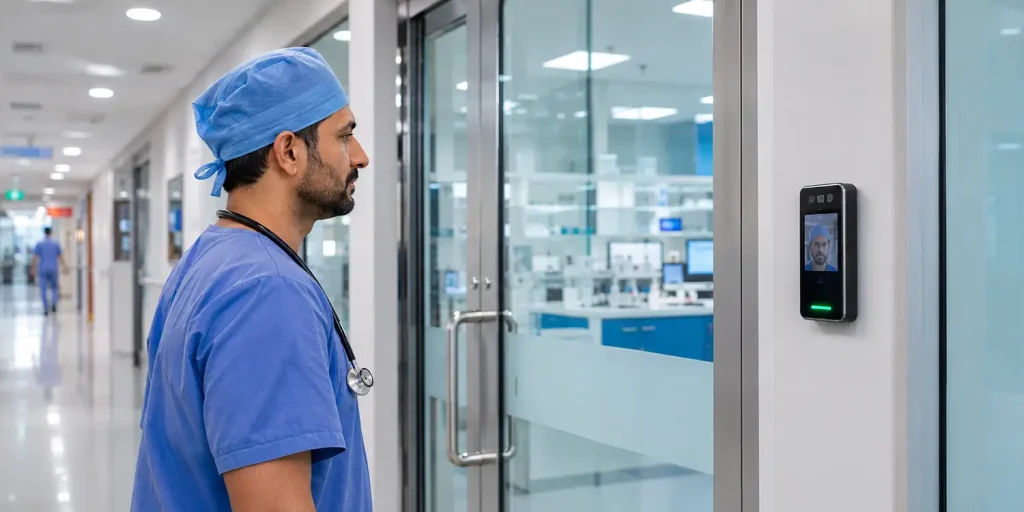
- Touchless entry. Facial recognition lets staff enter ICUs, cleanrooms, and labs without touching shared cards or keypads. As it involves biometric data, use it with consent or another legal basis, proper safeguards, and in line with hospital policy, and offer alternative credentials where needed.
Access Master checks face angle, lighting, and image quality during enrollment to help reduce errors..
- Two-step and two-person entry. High-security areas can require face plus PIN or face plus card. A drug store can require two authorized staff members to authenticate together, so every entry has two names attached.
- Door interlocking and occupancy control. In a sterile lab, the inner door stays locked until the outer door has fully closed. Benefit? Managing occupancy limits is easy, which further helps preserve sterility and pressure.
- Elevator or lift control. This is done by mapping floor access to roles and authorization. What does that mean? That means a patient attendant can only go to the authorized patient floor, and a pharmacy employee can go to the pharmacy floor. No mess.
- Vehicle access management. Access360 core also manages access to vehicles. A most common use case could be in the parking lot. Authorized ambulances and staff cars carry RFID tags, long-range readers scan them, and ANPR cameras verify the license plate, so approved vehicles pass without stopping.
Give Each Person the Right Access, at the Right Time with RBAC
Role-based access control (RBAC) gives permissions based on job roles. A nurse, pharmacist, lab technician, or maintenance worker each gets access only to the doors their work requires. This keeps access to the minimum required, which is the idea behind “least privilege.”
Hospitals then add rules on top, such as time, shift, location, or visit length.
Here is how that looks in practice:
- Shift-based access. An ICU nurse can enter the ICU only during her shift. When the shift ends, access ends, with no manual change. For example, Attendio5 supports fixed and flexible shift groups, and it can send attendance records to a hospital’s existing HRMS through secure APIs.
- Visiting specialists. A consultant who works at three hospitals gets one time-bound mobile or QR credential instead of three separate cards. Access expires after the visit.
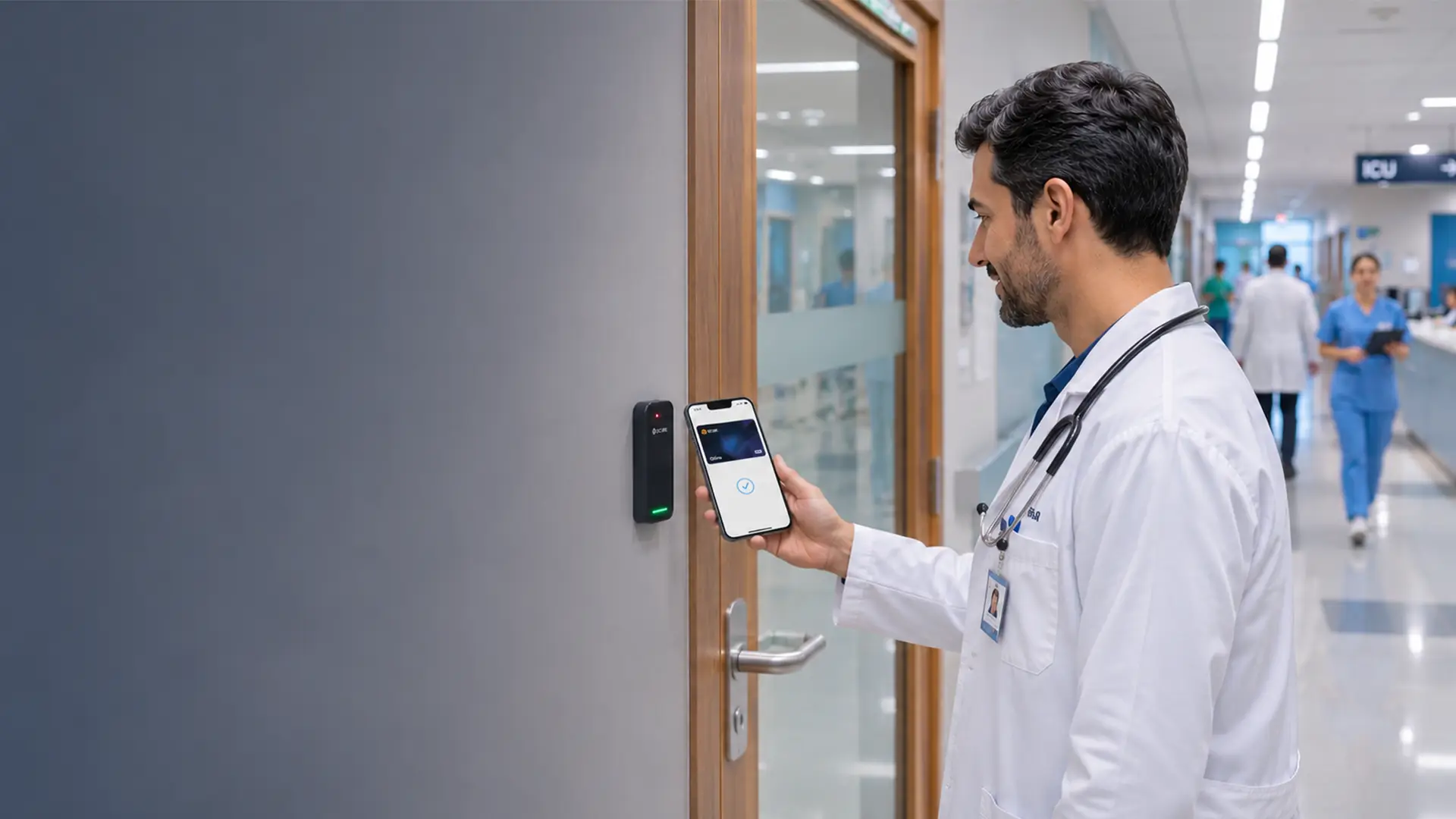
- Mobile credentials. GreenID turns a smartphone into a credential using NFC, Bluetooth Low Energy (BLE), or dynamic QR codes, and supports Apple Wallet and Google Wallet. It works with industry-standard readers and controllers, including HID and Mercury.
Visitors and Contractors: The Gap Most Hospitals Miss
Visitor management and access control are two different aspects. Access control handles enrolled staff, while visitor management handles temporary visitors. These generally include patient attendants, contractors, technicians, MRs, and others. Visitors need a host, a reason, a destination, and an end time for each visit.
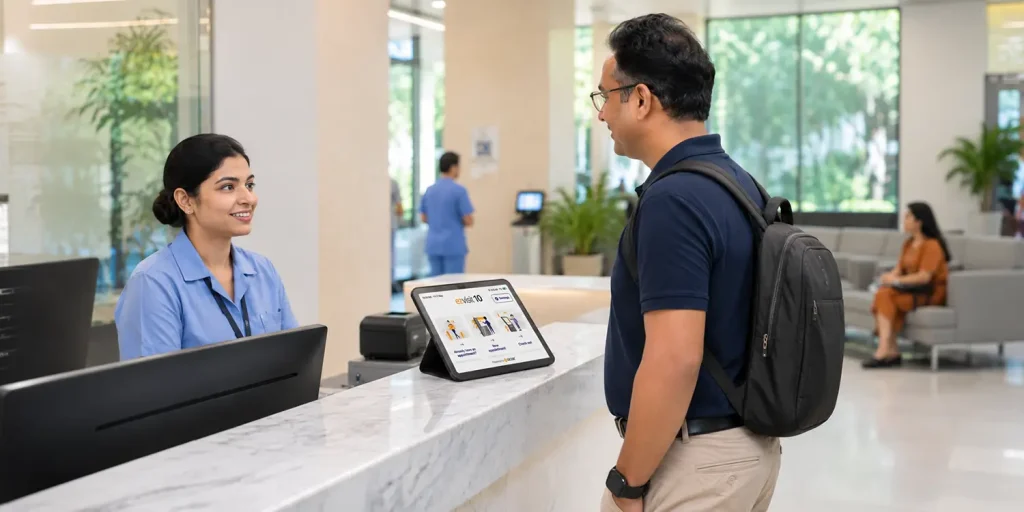
Linking visitor management to access control can bridge the security gap.
A streamlined visitor process includes:
- Registration and approval by the host
- ID verification, with photo capture and a verified phone number.
- A digital pass with access limited to the destination
- A time window, after which the pass expires on its own.
- Check-in and check-out records.
- Pattern review, for example, multiple denied attempts or dormant credential access by a former employee.
ezvisit10 supports this journey from registration and approval through temporary credentials, check-in, access, and check-out.
Pro Tip: Dynamic QR passes avoid a common problem with plastic access cards: they can be lost, shared, or handed to someone else. When ezvisit10 is integrated with a hospital management system, visitor records can be mapped to patient names and IDs, and contractors and vendors can be linked to the staff who host them. AInsights can then highlight unusual visitor patterns for security review.
Protecting Patient Data: Where Physical Access Control Fits
As per IBM’s Cost of a Data Breach Report 2026, Healthcare data breaches cost an average of $4.99 million per incident. And this figure is devastating. Healthcare organizations can prevent this by implementing a robust access control system. But this is only one side of the coin.
What about industry standards, regulatory frameworks, and compliance?
Different countries have different compliance standards, but the overall goal is the same, i.e., to protect patient health information (PHI).
Data Hosting and Transfer Considerations
| Country / Region | Key Laws & Regulations | Hospital Standards | Data Hosting & Transfer Considerations |
| United States | HIPAA, HITECH Act | Joint Commission (Workplace Violence Standards) | Cloud hosting is commonly used. A Business Associate Agreement (BAA) is generally required where a vendor creates, receives, maintains or transmits PHI. Also confirm state-law and contractual requirements. |
| United Kingdom | UK GDPR, Data Protection Act 2018 | NHS Data Security and Protection Toolkit (DSPT) | Organizations with access to NHS patient data are generally expected to complete the DSPT. Confirm UK GDPR international transfer rules and any NHS or contractual hosting requirements. |
| UAE & Saudi Arabia | UAE Health Data Law & PDPL, Saudi PDPL | JCIA / DHA (UAE), CBAHI (Saudi Arabia) | Health-data and cross-border transfer rules may affect where data can be stored or processed. Confirm federal, emirate-level, sector-specific, regulator and contractual requirements before selecting a hosting region. |
| India | Digital Personal Data Protection (DPDP) Act | NABH Digital Health Standards | The DPDP Act is not a blanket data-localization mandate. Cross-border transfers may be restricted by government notification. Confirm ABDM, sector-specific and contractual requirements where applicable. |
| Other Countries (EU, Canada, Australia) | EU GDPR, Canada PIPEDA, Australia Privacy Act | Accreditation Canada, ACSQHC, EU National Bodies | Requirements vary by jurisdiction, province or state, and sector. Confirm cross-border transfer mechanisms and any public-sector or contractual hosting requirements. |
(Note:Confirm applicable data-residency, cross-border transfer, sector-specific and contractual requirements before selecting a hosting region or deployment model.)
How can we do that?
Implement physical safeguards to control access to facilities, workstations, and electronic media containing electronic protected health information (ePHI). Among many other ways, physical access control is the first line of defense in meeting these compliance standards.
Healthcare organizations can do this in three ways:
1. Keep a clear audit trail.
Keep a log of all access information, including:
- Who entered which area.
- At what time.
- Using which credential.
- Whether entry was granted or denied.
After an incident, that information works as proof.
Access Master maintains centralized access-event records and audit trails for security investigations and compliance reviews, which can support organizations working toward certifications and compliances such as GDPR, ISO 27001 and, for pharma, US FDA 21 CFR Part 11.
2. Revoke dormant credentials.
Not revoking access for dormant credentials could be a silent risk.
Let’s understand this through an example:
Suppose a hospital has 4,000 active credentials and about 3% of people leave each year, which is around 120 exits. If even 10% are missed, about 12 badges a year stay active for people who no longer work there.
Here is the opportunity to link access to your HRMS system, which automatically revokes access once employees are removed from the list of active employees. Access360 core integrates with HRMS and directory systems, and supports single sign-on through Entra ID, Okta, Google Workspace, and LDAP to give you peace of mind.
3. Review access regularly.
Review access for high-risk zones regularly so that no gaps are left in the organization’s access policy.
From Reviewing Logs to Spotting Risks Early
Prevention is better than cure. A bad incident can damage your brand reputation. In healthcare, this is crucial, as it can cost trust and lives.
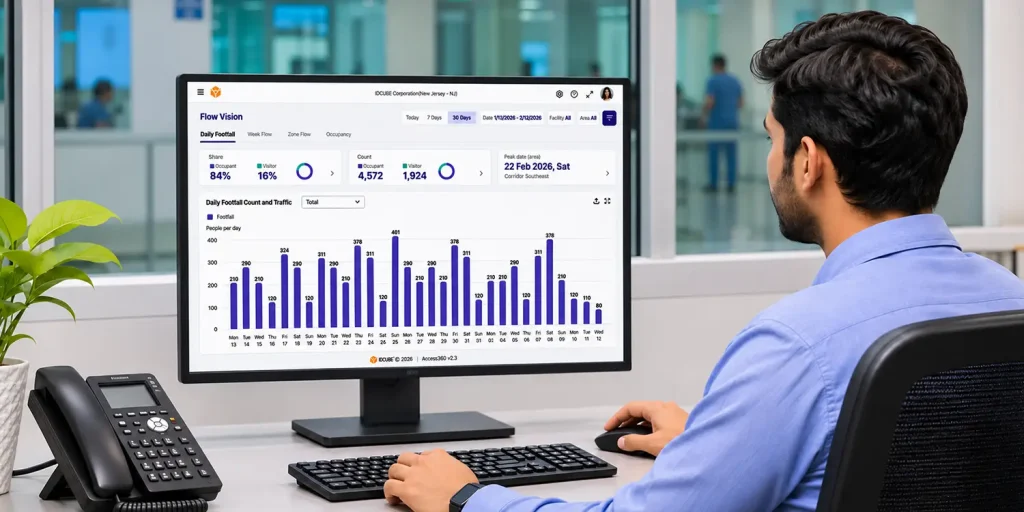
Suppose an incident happens at the hospital and the security administrator needs to find the exact details of access. After an incident, finding one event among millions of access logs is a challenging and time-consuming process. A better approach is to look for vulnerable spots proactively before something happens.
AInsights helps with this by converting access data into a visual dashboard that helps teams identify unusual patterns and prioritize security reviews. You will find specialized modules providing different useful insights:
- Risk Vision AI identifies dormant credentials, inactive users, repeated denied access, and unusual access patterns, and gives a vulnerability score so teams can prioritize fixes.
- Flow Vision and Live Count track zone-by-zone occupancy and movement against capacity limits.
- Facility comparison lets a healthcare organization compare security indicators across sites to see where attention may be needed first.
Security teams can also use AIsha, IDCUBE’s natural-language co-pilot, to investigate access logs and security events in plain language. For example, a security officer can ask, “Show me all forced door alarms in the server room from last night,” and AIsha will retrieve the matching logs for review.
This helps the security team act earlier.
Emergencies and Outages: Plan for the Worst Day
Failing to prepare means preparing for failure. Healthcare facility access control has to keep working when things go wrong, without compromising patient safety or the ability to evacuate.
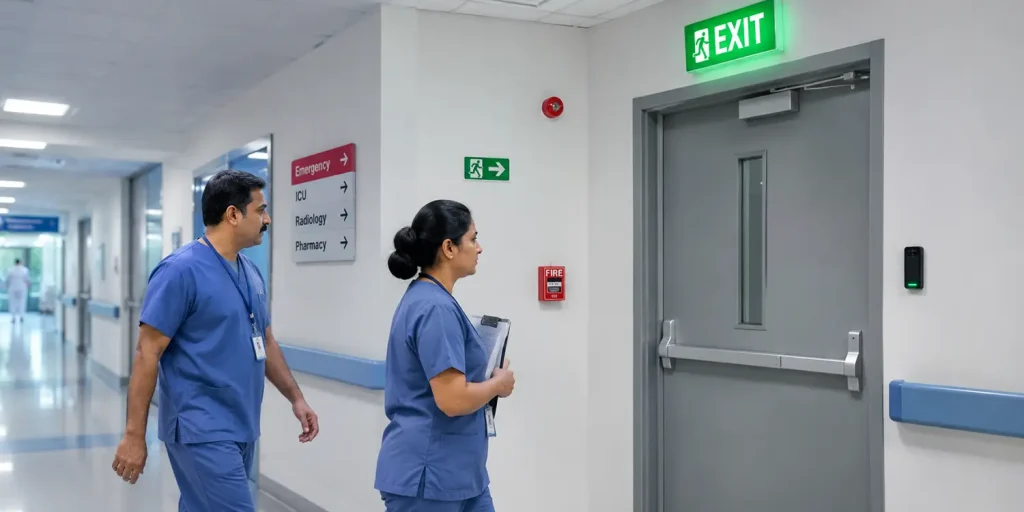
Here are four questions to ask about any access control system:
- What happens to each door if power fails?
- What happens if the network or server goes down?
- Can authorized staff trigger a lockdown or evacuation response quickly?
- Can we see who is inside an area during an incident?
How a door behaves during a power or network failure is not determined by the access control software alone. It depends on the door hardware, the locking mechanism, controller configuration, backup power and the fire and life-safety requirements that apply to that door. A fail-safe lock unlocks when power is lost, while a fail-secure lock stays locked. Which one is appropriate must be decided door by door, in line with applicable fire and building codes, and validated with your fire safety and facilities teams.
This applies to high-security areas too. Pharmacies, infant wards and medication rooms need strong protection, but they still need a code-compliant way for people to get out. The right approach for each area should be planned with your key entity involved in the safety management, rather than assuming these doors stay locked in every emergency.
Access Master supports configurable emergency rules, such as unlocking designated doors for evacuation or locking down selected areas during a security threat. Where configured, an authorized operator may also be able to trigger these rules locally if the network is unavailable, for example through a designated reader action or PIN.
Where supported and authorized, GreenID lets designated personnel perform remote access actions, such as unlocking a door, from a mobile app, which can help teams respond faster during an incident.
Pro tip: Test how every door, controller and emergency rule actually behaves during power loss, network outage and fire alarm scenarios. Run regular drills with clinical, security and facilities staff, and document the results.
Where to Deploy: Cloud or Self-Hosted?
For most hospitals and healthcare groups, cloud-based (SaaS) access control is the better starting point, unless a strict policy rule requires you to keep data on your own servers.
Why Choose SaaS Access Control?
- Reduce IT workload. IDCUBE manages hosting, updates, backups, and recovery, freeing your IT team to focus on other priorities.
- Manage multiple sites centrally. Apply consistent access policies across hospitals, clinics, and laboratories from one platform.
- Revoke access faster. Remove a departing employee’s access across multiple sites with a single change.
- Scale without adding servers. Expand access control as you add facilities, buildings, and staff.
- Manage security remotely. View access events, manage users, and review reports through web and mobile apps.
IDCUBE offers the same Access360 Core platform in self-hosted deployment options, too. Both use a containerized microservices architecture with Kubernetes on Ubuntu Linux.
| Attributes | Access360 core Core SaaS | Access360 core Core Self-hosted |
| Who runs it | IDCUBE-managed cloud hosting | Your IT team, on your own physical servers or private-cloud VMs |
| Updates and backups | Automatic updates, backup, and recovery | Your responsibility |
| Multi-site management | Centralized, with web and mobile administration | Centralized administration and reporting |
| Scaling | Automated horizontal scaling based on demand | Configurable, independent scaling of services |
| Data control | Depends on hosting region and contract | Customer-controlled infrastructure and data |
| Best for | Most hospitals, growing groups, small IT teams | Strict data-residency rules, air-gapped networks, in-house IT policy |
Final Thoughts
Physical access control in healthcare has its distinct challenges due to its nature of operation. First, the industry deals with emergencies where every second counts. Second, designing access control for these facilities means having a reliable, secure, fast, and smooth process overall. Additionally, the modern healthcare industry demands strict hygiene and regulatory compliance.
To meet these expectations, modern access control must not only be reactive but also proactive. That means it should not only provide access information once an incident happens; rather, it should proactively and continuously measure, assess, warn, and prevent those unwanted events in the first place.
How Does IDCUBE Access360 core Help?
IDCUBE Access360 core brings your healthcare physical access control ecosystem together in one AI-driven platform. It enables role-based access to critical zones, touchless credentials to support infection control, streamlined visitor management, automated employee attendance and leave management, vehicle parking access, and predictive threat analytics to help maintain regulatory compliance.
Ready to modernize your healthcare facility’s security? Talk to us!
Frequently Asked Questions
Does an Access Control System Make a Hospital HIPAA or GDPR Compliant?
This is not completely true. The thing is, it supports the physical side of access control by limiting entry, tracking visitors, and keeping logs. Compliance also depends on internal data/privacy policies and technical controls.
Is Facial Recognition Suitable for Hospitals?
Yes, it is. It can be useful, especially in sterile or hands-busy areas where touching a card is inconvenient.
What Happens to Hospital Doors During a Network or Power Outage?
During a network outage, doors with smart local controllers function normally. They store access permissions locally and can make independent access decisions without the main server.
During a total power failure, doors automatically revert to their predefined physical hardware settings, which can work in two ways:
- Fail-Safe Doors: Main entryways, stairwells, and evacuation paths automatically unlock to allow immediate egress. This is useful in an emergency situation like a fire.
- Fail-Secure Doors: High-security areas like pharmacies, infant wards, and IT closets remain locked from the outside to secure people and assets, but can still be opened mechanically from the inside. This is useful in situations involving external threats.
What Healthcare Areas Can Be Covered Under Physical Access Control?
Physical access control can be implemented at broad critical zones across healthcare industries. It includes hospitals, pharmaceutical manufacturing plants, clinical research laboratories, and medical device facilities. To further expand, these infrastructures contain high-risk patient units (e.g., NICUs, ORs), cleanrooms, narcotics vaults, EHR data centers, and biohazard labs, etc. Securing these areas is crucial for patient safety, protecting intellectual property, and maintaining strict regulatory compliance.