











Enterprise Door Access Control Systems: A Buyer’s Guide
- What Is an Enterprise Door Access Control System?
- What Are the Primary Components of an Enterprise Door Access Control System?
- How Does an Enterprise Access Control System Work?
- What Makes an Enterprise Access Control System Different?
- How to Choose the Right Enterprise Access Control System?
- How IDCUBE Access360 Supports Enterprise Access Control
- Conclusion
- FAQs
A minor security lapse can turn into a major security concern if left unnoticed. For example, suppose an access card is lost, or an access card remains active even after the employee leaves the organization. In both cases, someone could gain unauthorized access if the credentials aren’t revoked in time.
Remember, issuing a credential is a matter of convenience, but failing to revoke access on time is a potential security breach. This scenario becomes even more critical for enterprises managing multiple buildings, offices, campuses, or industrial facilities.
An enterprise access control system helps organizations manage:
- Who can enter specific areas
- When they can enter
- Which access permissions apply to them
(Note: An Enterprise Access Control System (EACS) is the overall physical access setup (e.g., controller boards and readers), while an Access Control Management System (ACMS) refers to the software used to manage users, permissions, and access events (e.g., IDCUBE’s Access360).)
But how does an enterprise door access control system work in harmony?
What should an enterprise consider before choosing one?
This guide explains the enterprise access control system, its key components, how it works, and how to choose the right one.
What Is an Enterprise Door Access Control System?
An enterprise door access control system is a complete ecosystem to manage access to any physical space or premises of any business, company, or organization. It uses electronic credentials that have defined access rules, whether a particular person has access to an entry point or not.
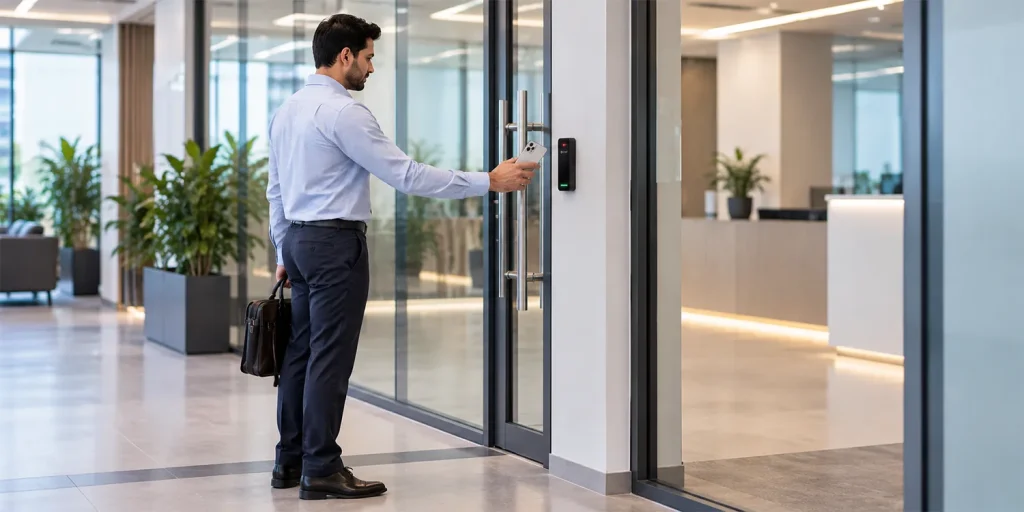
And how this is done: through the interaction between door hardware (such as readers, controllers) and management software.
But traditional access control systems have many limitations. For example, managing multiple facilities and multiple doors in an enterprise is not humanly possible with physical keys. And here comes the role of an enterprise access control system, which provides a secure way to access physical spaces while keeping logs of all access events.
An enterprise access control system helps organizations in many ways:
- Control access to authorized areas based on individual permissions.
- Manage employees, contractors, and credentials centrally.
- Monitor access attempts and door-related alarms.
- Maintain access records for security reviews and investigations.
- Integrate the enterprise physical access control system with compatible enterprise and security systems.
- Extend access policies across multiple buildings and locations.
The goal is not simply to unlock doors. It is to establish convenient and secure access policies across the organization.
What Are the Primary Components of an Enterprise Door Access Control System?
An enterprise door access control system has five main components: credentials, readers, controllers, electronic locks, and access control management software. Apart from this, there are some supporting devices that help monitor doors, detect events, and maintain safe operation.
1. Credentials Identify Who Is Requesting Access
A credential is the unique identifier that proves one’s identity when we present it to any access control system. It could be physical or virtual credentials, for example:
- RFID proximity cards and smart cards
- Mobile credentials
- PINs and keypad codes
- Fingerprint or facial recognition credentials
- QR-based credentials for supported access workflows
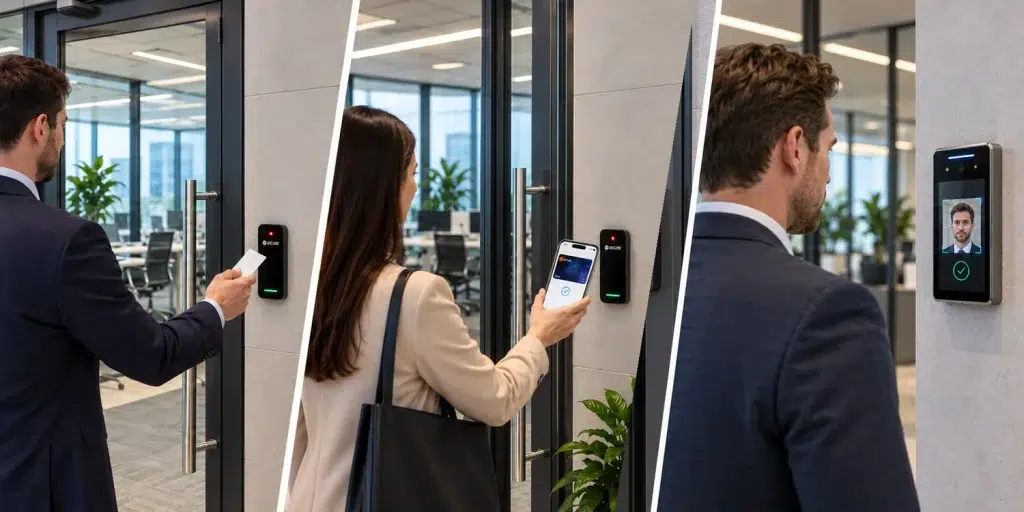
So, which of the above is most suitable for an enterprise? That depends on the choice and requirements. The idea is that it should be encrypted and must not be clonable. Also, consider features like remote access management. For example, virtual credentials can be revoked in case they are lost, or the credential holder leaves the organization.
For sensitive areas, a system may require two authentication factors, such as a card and a PIN.
2. Access Control Readers Capture Credential Data
Another important component is readers. They are electronic security devices installed at entry points. Those entry points or access points could be doors, gates, or turnstiles. It captures user credential data and transmits it to a controller for verification.
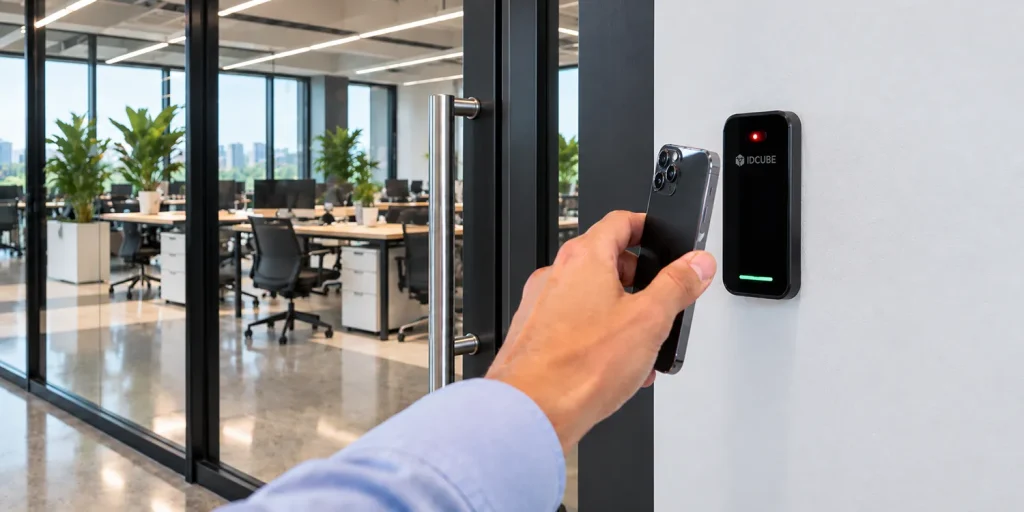
Readers may support contactless smart cards, mobile credentials, PIN entry, or biometric authentication, depending on the model.
The communication protocol between a reader and its controller is another important consideration. And that is defined by the type of reader.
There are two main types of readers: Wiegand and OSDP.
The major difference between the two is that Wiegand is a one-way wiring and communication standard. At the same time, OSDP (Open Supervised Device Protocol) supports supervised bidirectional communication between compatible readers and controllers. OSDP Secure Channel can provide AES-128 encryption when supported and enabled by the connected devices.
Moral of the story for a B2B purchaser?
Evaluate, compare, verify.
Ask questions such as:
- Is the reader compatible, and can it be smoothly integrated into my existing infrastructure?
- What about communication security?
- Is it tamper-proof?
3. Access Control Controllers Process Access Requests
What happens after someone taps a card or scans their face before the reader? It’s a quick process we may never notice. Here’s what happens behind the scenes.
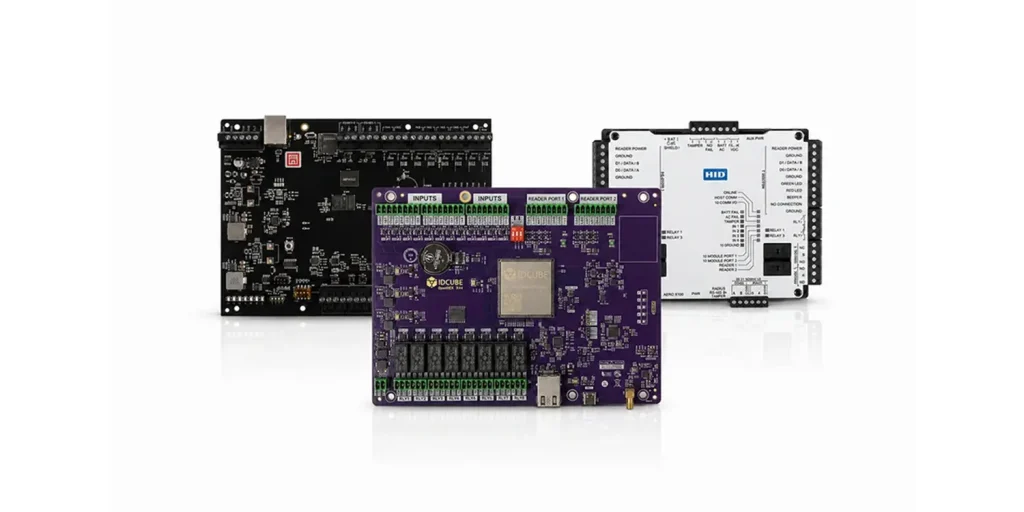
- First, the reader captures the access card data or the facial recognition pattern.
- Next, the reader sends the credential data to the controller, usually through a wired connection using protocols such as Wiegand or OSDP.
- The controller then checks the credential against stored access permissions, including the authorized door, schedule, and access level.
- If the request is valid, the controller activates a relay to operate the electronic lock. Otherwise, access is denied.
All access events are logged to the access management software.
Some controllers may continue checking locally stored permissions even if their connection to the central server drops. This helps maintain access control during network interruptions, depending on the hardware and configuration.
Enterprise access control controllers are the brain of the access control system, which manages:
- Door and reader connections
- Credential authorization
- Access schedules and permissions
- Door-position and request-to-exit inputs
- Access events and alarms
- Local operation during network interruptions (where supported)
4. Electronic Locks and Door Monitoring Devices
There’s more to the list, i.e., electronic locks. They physically secure or release a door when instructed by the access control system. Common options include electric strikes, electromagnetic locks, and electrified locksets.
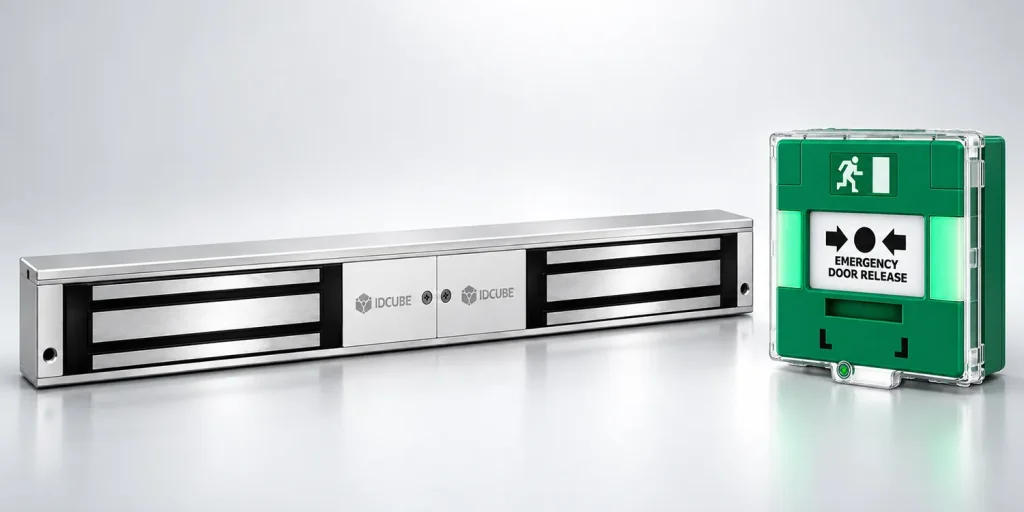
Supporting devices provide additional monitoring and control:
- Door-position sensors: Detect whether a door is open or closed and support door-held-open alerts.
- Request-to-exit devices: Signal an exit request to the access control system.
- Emergency release mechanisms: Support required emergency lockdown and evacuation support (e.g., fail-safe or fail-secure). A fail-safe lock generally unlocks when power is lost, while a fail-secure lock generally remains locked from the secured side.
- Backup power: What in case of power interruptions? Backup maintain supported system functions during power interruptions.
The key takeaway?
Lock selection requires careful attention to the door type, security requirements, power-loss behavior, and standard building and fire-safety regulations.
5. Access Control Management Software (ACMS)
So we discussed all the hardware parts of the access control system. But ultimately, it comes down to software that provides the administrative layer for managing users, credentials, permissions, schedules, doors, controllers, and security events.
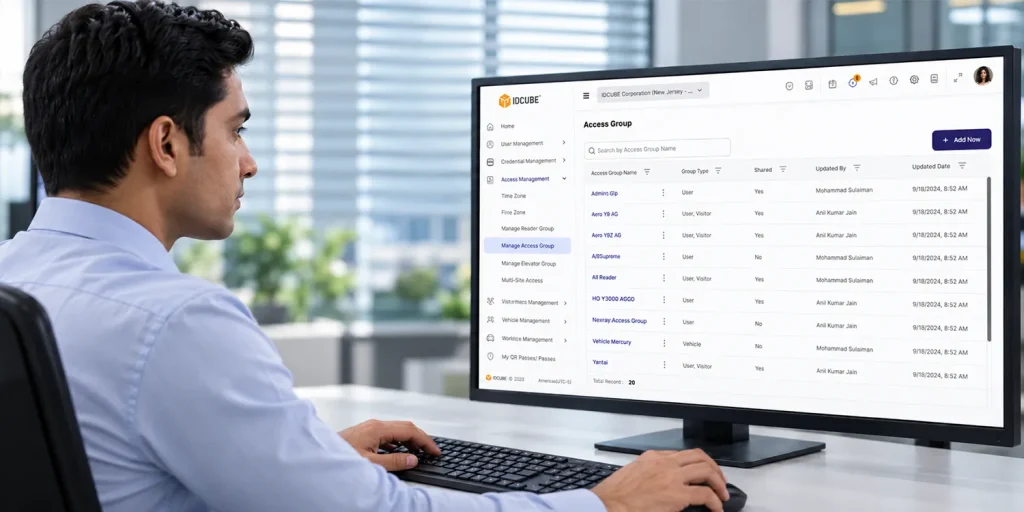
For enterprises, the software part is crucial.
Why so?
The reason is that access requirements change continuously. Employees join or leave, their departments change, contractors receive temporary permissions, and facilities expand.
A centralized management platform helps security teams apply access policies consistently without administering every door independently.
On top of that, ACMS provides:
- Role-based and schedule-based access policies
- Centralized and multi-facility management
- Real-time monitoring and reporting of all the access events
- Alarm management and audit trails
- Integration with existing or third-party HRMS, ERP, video surveillance, and visitor management
- Mobile credential management and security analytics
These capabilities help transform individual door controls into a coordinated enterprise physical access control system.
How Does an Enterprise Access Control System Work?
A typical controller-based access control process follows five steps.
Step 1: An employee presents a credential.
Step 2: The reader captures the credential information and communicates it to the relevant controller or access control processing layer.
Step 3: The system checks the available credential information against access rights, schedules, door restrictions, and other configured security rules.
Step 4: If the request meets the configured rules, the system allows the door hardware to release the lock. Otherwise, access is denied.
Step 5: The system records the access result and associated information, such as the time, door, and credential or user identity, according to the available configuration.
For example, an employee authorized to access their working floor can only enter that area/zone through their credential. If they try to enter the server room, access will be denied. And the interesting part is that all access events are logged in the access management system for future investigations.
What Makes an Enterprise Access Control System Different?
A basic electronic lock may be sufficient for a single door with simple requirements. Enterprises managing large facilities need more comprehensive control over users, devices, access policies, and security events.
So, in the case of enterprises, the modern access control system should deliver the whole ecosystem to support their requirements, including:
Centralized Management
Administrators can manage access permissions across multiple doors and locations through a shared management environment.
Role-Based Access Policies
Access can be assigned according to job responsibilities, departments, locations, shifts, and security zones rather than relying on individual door-by-door decisions.
Multi-Site Scalability
The system should accommodate new buildings, doors, users, and security requirements without forcing the organization to rebuild its entire access management environment.
Integration with Enterprise Systems
Enterprises use different ERPs, software, and tools, for example, HRMS to manage workforce, video surveillance to monitor movement, and visitor management systems to manage visitors. So, an ideal access management system should be easily integratable with these existing ERPs and software.
Monitoring and Auditability
An enterprise often works in complex environments where keeping an eye on each access event, denied requests, door alarms, and administrative changes is tough to monitor. But these are crucial for security teams to review incidents and investigate potential policy violations.
How to Choose the Right Enterprise Access Control System?
Today, when there are abundant access control providers, and everyone is representing themselves as the best solution provider, it’s confusing to decide which one is the best or right one.
To narrow down your options, the first thing you can do is to well define your requirements. Of course, budget can be added to this list, but the thing is, we cannot compromise on security and put brand reputation at stake.
So consider the one that best satisfies the following six parameters:
1. Security Policies and Access Governance
Security is the number one priority for any enterprise, and physical access control is the first line of defense. Take a demo to understand how this system works and whether it is flexible enough to adhere to the different dimensions of access control.
The idea is simple: to check its capabilities against distinguishing different attributes such as granting access permissions by role, department, location, and schedule. Can administrators instantly revoke credentials and review access rights when employees leave or change responsibilities?
2. Hardware Compatibility
Hardware is expensive. And deploying it enterprise-wide incurs a huge cost. If you have existing controllers, readers, credentials, locks, sensors, and other access devices, then adding extra burden to the pocket is not a wise decision. Better to confirm the exact supported hardware models than to guess.
3. Multi-Site Management and Scalability
When we talk about enterprise, it often gives a sense of managing different industries with multiple branches/locations (which could expand in the future).
By failing to prepare, you are preparing to fail.
Determine how the platform handles multiple facilities, centralized administration, new doors, growing user counts, and changes to enterprise access policies.
4. Reliability and Deployment Options
When it comes to deployment, all you need is peace of mind. And that means you won’t want to add resources and burden to the existing infrastructure. But we never know the future, and that’s why flexibility is one aspect we must seek.
So ask the vendor if they have flexible deployment options such as on-prem or cloud (public and private).
Pro-tip: today most organizations prefer cloud deployment due to its security, reliability, auto traffic handling, pay-as-you-go model, and 99.9% uptime.
5. Audit Trails and Total Cost of Ownership
Evaluate the ease of finding access reports, alarm history, immutable audit records, etc.
Consider the total cost over the expected life of the deployment rather than comparing the initial installation price alone.
How IDCUBE Access360 Supports Enterprise Access Control
IDCUBE’s Access360 provides an end-to-end, integrated, centralized, and flexible deployment option for physical access control solutions for modern enterprises.
It has five core modules that simplify the complexity of access control, giving organizations the power of security with the ease of convenience:
- Access Master: Centralized Physical Access Control System (PACS) that manages door entry permissions, controllers, and multi-site security policies.
- ezvisit10: Visitor management system (VMS) that conveniently automates visitor registration, check-ins, approvals, host notifications, and temporary passes.
- attendio5: Automated workforce management solution that manages more than shift scheduling, attendance logging, leave approvals, and HRMS sync.
- GreenID: It is a mobile credentials app (available on iOS & Android) that enables smartphone-based access, virtual ID passes (integatable with google/apple wallet), and employee self-service capabilities (such as punch-in/punch-out, attendance, leave management).
- AInsights: Security intelligence dashboard that analyzes facility data to detect access anomalies, risks, and operational trends proactively.
On top of that, Access360 gives you access to AIsha, an NLP chatbot, where you can query anything in plain English related to access logs and it gives you an instant response, which is quite useful in investigating any incidents.
Conclusion
The challenges and requirements of an enterprise access control system are vast.
One major problem is that industries are still using decade-long legacy access control system/methods. And that, too, is operating in silos. Second, to protect and manage secure access to its assets and resources for day-to-day operations, such as manpower (e.g., employees, contractors), visitors, and vehicles.
To deal with such requirements, you must implement the right access control solution that provides centralized administration, compatibility with existing ERPs, software, and hardware, is easy to integrate, maintains operational resilience, and complies with global and local regulatory data privacy standards. Last but not least, security, convenience, and scalability are essential considerations, too.
If you want to choose a modern enterprise access control system, start with the basics. Understand the core components that define the whole ecosystem, understand the requirements specific to your enterprise, compare the solution providers, and then choose the one that best fits your needs.
Do you have more questions? Contact us.
FAQs
What Is the Difference Between Access Control, Physical Access Control, and Enterprise Access Control?
All the above belong to one broad domain, i.e., access control, but there are fine lines between them:
Access Control: It is the security process of granting or denying permission for a user or system to access a resource (covering both digital/logical and physical assets).
Physical Access Control: Specifically restricts entry to any physical spaces or premises using locks, physical and virtual credentials such as access cards, or biometrics. In general, the object could be entrances of buildings, rooms, or parking gates.
Enterprise Access Control: Scales these security measures across an entire organization, integrating centralized management, role-based policies, and multi-site coordination.
What Key Features Should Organizations Look for in a Modern Enterprise Access Control System?
Organizations must prioritize strict access policies. They should consider:
- Flexible deployment options
- Open-architecture systems that could be integrated easily into existing hardware or software
- Built-in cybersecurity
- Convenient to use
- A unified and centralized platform where users can manage access through any digital touchpoint like web, mobile, or kiosk
Why Is Access Control Essential for Regulatory Compliance?
This is important because major data protection and security frameworks, such as GDPR, HIPAA, PCI-DSS, and ISO 27001, have a clear legal mandate to strictly safeguard confidential information.
How Is Access Control Used in an Enterprise?
Enterprise access control is a strict measure to secure physical entry points. There could be multiple use cases. For example, in an enterprise, it is used to restrict and manage access to main entrances, sensitive areas (like server rooms), and keep an eye on physical security with a centralized view across multiple locations.
IDCUBE Access360, a cloud-native and AI-driven physical security platform that seamlessly merges access control, visitor tracking, and automated workplace management into a single, highly scalable dashboard.
How Much Do Enterprise Door Access Control Systems Cost?
There is no fixed pricing. It depends on enterprise requirements. For example, how many door readers and controllers are required, and what are their integration needs? IDCUBE’s Access360 provides cost-effective enterprise options through flexible cloud (SaaS) and on-premises deployment models.
What Are the Primary Benefits of Using a Cloud-Based Access Control System in an Enterprise?
Deploying the access control system in the cloud is cost-effective and provides peace of mind by eliminating the need to manage complex infrastructure. Plus, it gets all the benefits of what the major cloud providers like AWS, Azure, and GCP provide. That includes robust security, scalability, and a SaaS-based subscription model.
IDCUBE’s Access360 Core SaaS provides a cloud-hosted solution that lets enterprises manage access, monitor security, and manage multiple sites remotely without maintaining their own servers..
What Are the Main Benefits of Enterprise Access Control?
There are several benefits of implementing enterprise access control; some of them are:
- Enhanced Security: Restricts unauthorized entry to protect assets, data, and staff.
- Centralized Administration: Manages user permissions across multiple facilities (locations) from a single user interface or dashboard.
- Automated Compliance: Every access log is logged automatically in real time and can be used for audits and compliance
- Cost Savings and Eco-friendly: Lowers operational costs by replacing physical access cards with virtual credentials. Also, not printing physical cards means preserving and promoting the green ecosystem too.
What Are the Types of Access Control Systems?
There are two main types of access control:
- Role-Based Access Control (RBAC): Access permissions are limited to a user’s job role.
- Rule-Based Access Control (RuBAC): In this, configurable rules are applied to control access, such as advanced door interlocking, anti-passback, and occupancy limits.