













Visitor Management vs. Access Control: How They Work Together
Table of contents
- Understanding the Basics
- Visitor Management vs. Access Control: What’s the Difference?
- The Limitations of Standalone Systems
- How Visitor Management and Access Control Work Together
- Key Benefits of Integrating Visitor Management System With Access Control
- Industry Use Cases
- How IDCUBE Brings Visitor Management and Access Control Together
- Conclusion
- Frequently Asked Questions
Suppose a visitor is coming to your office for a scheduled meeting.
Your reception team knows:
- Who the visitor is
- Whom they’re meeting
- Why they’re visiting
- When they’re expected
But here’s the question: Does that mean the visitor should be able to access every floor, room, or restricted area?
Of course not.
This is where visitor management and access control come in. They work together, but they handle different jobs.
Understanding the Basics
Visitor management and access control are complementary security systems, but they serve different purposes. While visitor management focuses on the overall visitor’s journey, access control enforces physical access boundaries.
Visitor management handles the visit
It manages the visitor’s journey from registration and approval to check-in and check-out.
It helps manage:
- Visitor registration
- Host approval
- Visitor verification
- Temporary credentials
- Check-in and check-out
- Visitor records
For example, a host can register a guest before they arrive. The visitor can receive a QR-based pass or another temporary credential, while reception and security teams have the information they need.
In simple terms, visitor management answers:
Who is visiting, why are they here, and who approved the visit?
Access control handles physical entry
Access control determines where and when a person can enter.
It can control:
- Doors and gates
- Turnstiles
- Elevators
- Floors
- Restricted zones
For example, an employee may access their office floor but not a server room. A contractor may only access a maintenance area during an approved work period.
So, access control answers:
Where can this person go, when can they go there, and what access should they have?
Visitor Management vs. Access Control: What’s the Difference?
So, how are visitor management and access control actually different? Here’s a quick comparison.
| Aspect | Visitor Management System (VMS) | Physical Access Control System (PACS) |
| Primary Purpose | Manages guest identity, check-in, and host notifications | Grants/denies physical entry through hardware barriers |
| Main Users | Temporary visitors, vendors, hosts, receptionists | Employees, tenants, contractors, authorized visitors |
| Focus | Identity verification, compliance, guest experience | Perimeter security, door authorization, hardware rules |
| Credentials Used | Digital QR codes, guest passes, printed ID badges | Keycards, fobs, biometrics, mobile NFC/BLE passes |
| Access Duration | Short-term (hours to days, tied to visit time) | Long-term or rule-based (schedules, shifts, role access) |
| Area Restrictions | Defines intended destination and host approval | Enforces door/zone permissions at physical readers |
| Check-in/Check-out | Core function (logs arrival, badge print, departure) | Secondary (records door swipes/event logs) |
| Data Logged | Visitor details, host name, visit purpose | Reader ID, credential ID, timestamp, access status |
The Limitations of Standalone Systems
Why Visitor Management Alone Is Not Enough
Visitor management confirms that someone is expected and approved. But it doesn’t necessarily control where they can go.
Assume a consultant is visiting your office. They may be approved for a meeting on one floor. They don’t need access to the rest of the building.
That’s where access control becomes important. It can enforce the approved access and prevent entry to restricted areas.
Why Access Control Alone Is Not Enough
Access control checks whether someone’s credential can open a door. But it doesn’t handle the rest of the visitor process, such as registration, approval, or check-in.
Without visitor management, your team may still rely on manual processes to know who is expected and why they’re visiting.
How Visitor Management and Access Control Work Together
When visitor management and access control work together, the visitor follows an approved entry process based on how the visit is initiated.
For example, a typical visitor journey can be:
- The host initiates the visit by registering the visitor or sending an invitation.
- The visitor provides the required details and completes any verification steps.
- The host checks and approves the visit, where approval is required.
- A visitor pass is generated, such as a QR-based e-pass or printed pass.
- The visitor enters through an e-gate or with security assistance, based on the setup.
For direct walk-ins, the process can start at reception, where the visitor’s details are captured and the host can approve the visit before a pass is issued.
This approach connects visitor approval and pass generation with controlled physical entry, helping ensure visitors enter through the right access point.
Key Benefits of Integrating Visitor Management System With Access Control
When visitor management and access control work together, organizations can approve visitors and control their access more easily.

Integration can help organizations:
- Strengthen security: Integrate visitor approval with the right access permissions.
- Control time and location: Restrict visitor access to approved areas and time periods.
- Reduce manual work: Replace paper records and manual entry with digital workflows.
- Improve visibility: Keep a clear record of visitor approvals, access activity, and check-out.
- Simplify check-in: Make entry easier for visitors while maintaining security checks.
Industry Use Cases
Integrated access control and visitor management can work well in:
- Corporate offices: Manage clients, candidates, consultants, and vendors.
- Business parks: Control access across shared and tenant areas.
- Data centers: Restrict visitors to approved sensitive zones.
- Manufacturing facilities: Keep contractors within assigned areas.
- Hospitals: Manage visitors and external personnel.
- Schools and universities: Control access for guests, parents, and contractors.
- Multi-site enterprises: Apply consistent visitor policies across locations.
How IDCUBE Brings Visitor Management and Access Control Together
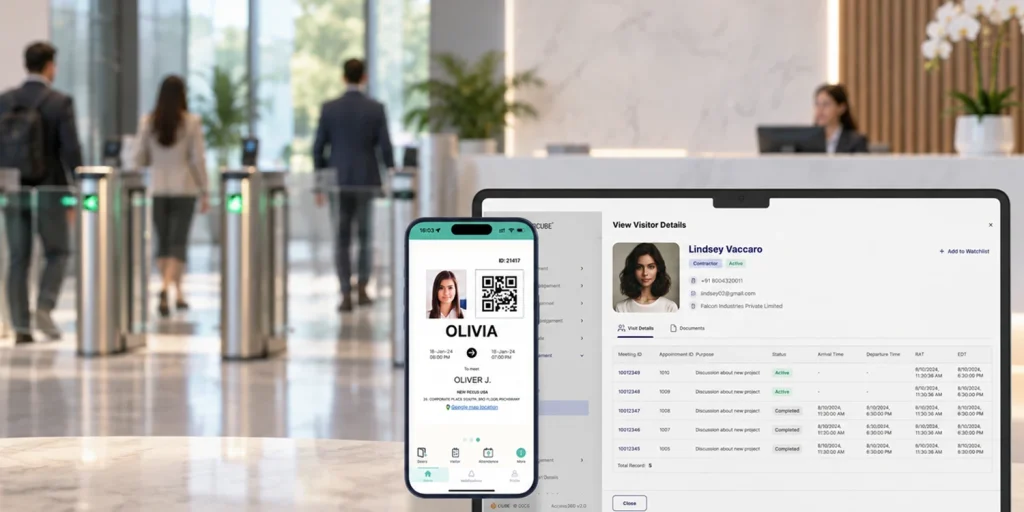
IDCUBE’s ezvisit10 helps manage visitor registration, approval, verification, credentials, check-in, and check-out.
It can also connect visitor workflows with access control, linking approved visitors to the right access permissions.
Simply put, visitor management handles the visit, while access control manages where the visitor can go.
Conclusion
Visitor management and access control solve different parts of physical security. Visitor management confirms who is visiting and why. Access control decides where that person can go and when their access should end.
When connected, the two systems create a more coordinated process from registration and approval to entry and check-out. The goal isn’t to choose between visitor management and access control: It’s to make them work together.
Frequently Asked Questions
Which companies offer combined visitor management and access control platforms?
Several security technology providers offer combined visitor management and access control platforms, including IDCUBE, whose ezvisit10 and Access360 solutions support these functions.
Can I use a single app for both visitor management and access control?
Yes. An integrated platform, for example, IDCUBE’s GreenID can bring visitor registration, approvals, credentials, and access management together.
What types of credentials can visitors use for access?
Visitors can use QR codes, PINs, temporary access cards, or mobile credentials to gain entry access.
Can visitor access be revoked before the visit ends?
Yes. An administrator can revoke a visitor’s temporary access when the visit is canceled, or access is no longer required.
What should organizations consider when choosing an integrated visitor management system?
Organizations must consider its access control integrations, credential options, access restrictions, visitor workflows, and reporting capabilities.