










Biometric Readers and Devices: Choosing the Right Hardware for Access Control
A facial reader can look flawless in a demo and then struggle at a sunlit entrance. A fingerprint scanner that works fine in an office can frustrate employees who wear gloves. And a device that recognizes everyone perfectly can still open the wrong door.
That’s the real challenge when you’re picking hardware for a biometric door access control system. You aren’t just choosing a sensor. You’re deciding how people prove who they are, how devices trust each other, and how your access control platform decides who gets in.
So the question becomes: which biometric hardware gives you reliable identity verification without trading away security, privacy, interoperability, or a good user experience?
First, separate identity from permission
Four ideas tend to get lumped together, but each one does a different job.
Identity proofing is how you establish who someone is at enrolment, using verified records or an approved onboarding process. Attributes describe that person: “employee,” “contractor,” “laboratory technician.” Credentials are what they carry or present, like a smart card, a mobile ID, or a PIN. Biometrics compare a captured fingerprint, face, or iris sample against an enrolled reference to verify or identify them.
Authorization comes after all of that. A verified technician might be allowed into a maintenance area but not a pharmaceutical store. Recognizing someone isn’t the same as letting them in, in the same way that knowing a colleague’s name doesn’t mean you hand them every office key.
Biometric verification usually checks a sample against one claimed identity (1:1). Identification searches across many enrolled identities (1:N). The second approach can make hands-free entry easier, but it changes how the system scales, the kinds of errors you’ll see, and the privacy risks involved.
Match the biometric technology to the doorway
Fingerprint readers: familiar and compact, but not for everyone
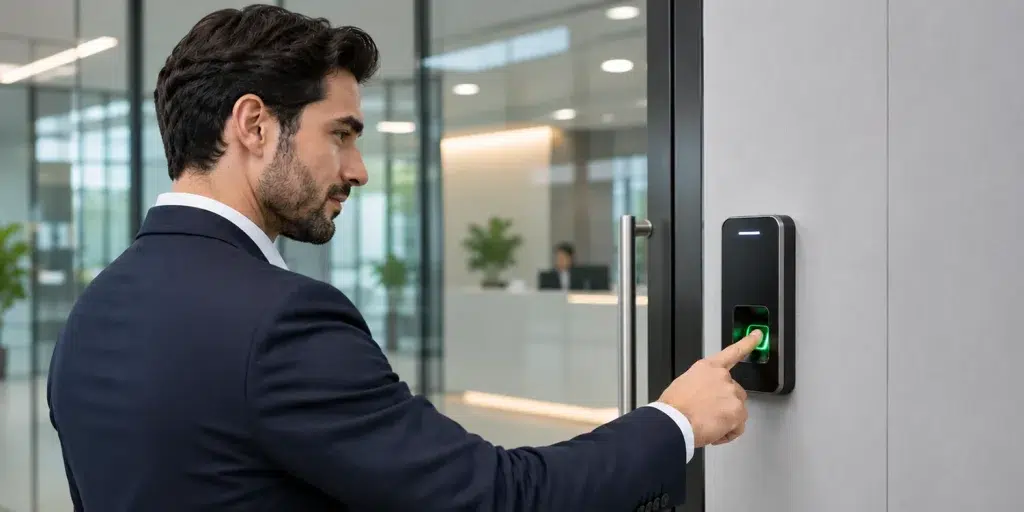
Contact fingerprint readers work well for offices, staff entrances, and attendance-linked applications. They’re small, and the deliberate “place your finger” interaction suits controlled access points. But wet fingers, worn prints, dust, and gloves can all cause capture failures. Regular cleaning and accessible mounting aren’t nice-to-haves; they’re part of running the system.
For workforce sites, choose devices that support the enrolment workflow you want and can pass authenticated identity events to Access360. Don’t assume every third-party fingerprint terminal offers the same integration functions.
Contactless fingerprint: built for flow
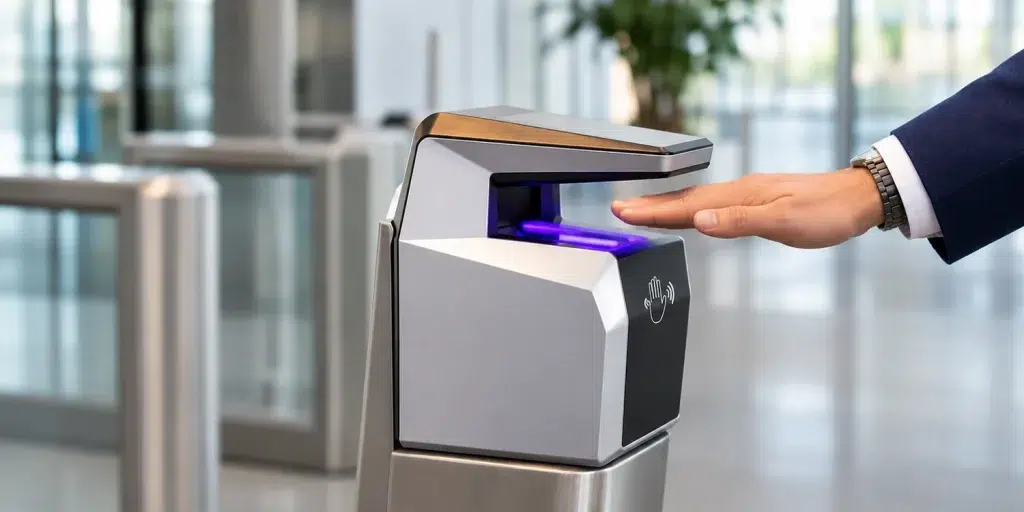
Contactless scanners capture fingerprints as people present or move their hand through the sensing area. There’s no shared surface to touch, which makes them a good fit for busy entrances. IDCUBE supports IDEMIA MorphoWave technology within its Access360 ecosystem. Before you commit, look at how users are guided to present their hand, how the device performs at peak hours, and which integrations are supported.
Facial recognition: effortless when the setting cooperates
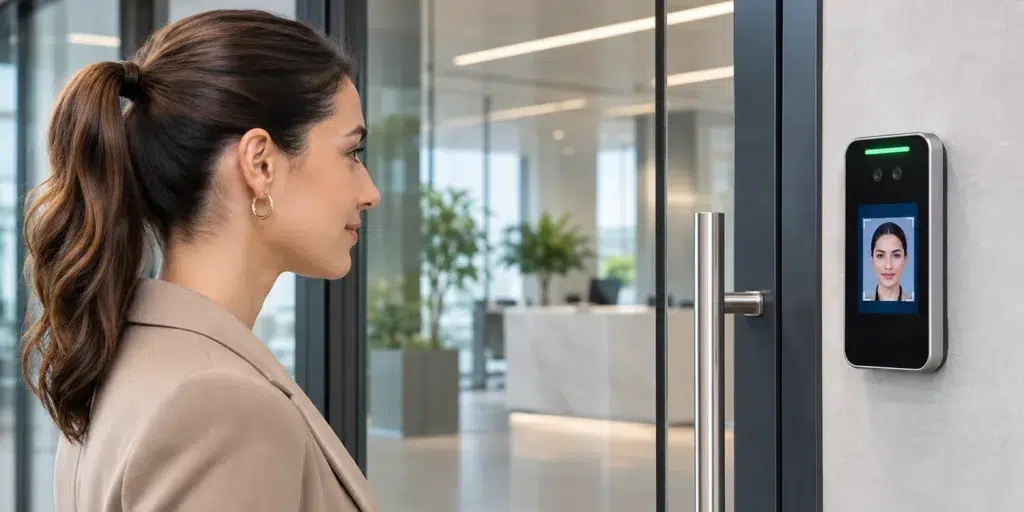
Facial readers can make biometric building access control feel almost invisible at corporate lobbies and campuses. But the camera sees the real environment, not the architect’s drawing. Backlighting, shifting sunlight, mounting height, glasses, and crowded approach lanes can all affect capture.
Ask whether the device uses presentation attack detection (PAD), often called liveness detection, and how that has been tested. A reader that matches faces accurately isn’t automatically good at rejecting a printed photo or a replayed video.
IDCUBE documents integration with HID Amico facial readers, including centralized enrolment and distribution of facial templates through Access360. Confirm these model-specific capabilities for the configuration you’re proposing.
Iris and vein: think about the interaction, not just the assurance

Iris readers and palm- or finger-vein devices make sense for restricted areas where a more specialized modality is justified. Working distance, how users need to position themselves, throughput, hygiene preferences, and support for people who can’t use a particular sensor matter just as much as the advertised matching accuracy. Even a high-assurance doorway needs a usable fallback.
Decide where matching and door decisions happen.
A biometric access control reader might capture a sample and send an identity result to an access controller. Some biometric terminals also do the matching locally or include door-control functions. That difference matters.
Find out where templates are stored, whether matching happens on the device or centrally, how identities stay in sync, and what happens when the network goes down. Local matching reduces your dependence on connectivity and limits the exposure that comes with sending samples across the network. Centralized management makes enrolment and revocation easier across multiple sites, but it means templates and communication channels need careful protection.
In IDCUBE deployments, Access360 provides the wider access-management picture: identities, assigned doors, zones, schedules, and access-event records. Compatible controllers enforce the configured rules, including offline operation where supported. Authentication should confirm who is asking to get in; access policy should still decide whether that person is allowed in right now.
Read the performance figures properly.
A vendor brochure might promise “99% accuracy” without telling you how it was tested. Ask instead for the false match rate (FMR), which covers incorrect matches, and the false non-match rate (FNMR), which covers genuine users being turned away. Both depend on matching thresholds and the test population. No single number can describe both risks.
You should also look at failure-to-enroll rates, presentation attack detection, and end-to-end throughput. ISO/IEC 19795-1 gives a framework for biometric performance testing, and ISO/IEC 30107-3 covers PAD testing and reporting. Test with your actual users, lighting, queue behavior, and operating conditions, including groups whose biometric capture may be less reliable.
NIST SP 800-63B-4 offers useful digital-authentication guidance on biometric errors, PAD, and pairing biometrics with a physical authenticator. It isn’t a blanket rule for every physical door system, though. For high-risk rooms, consider card-plus-biometric authentication rather than treating a face scan as a catch-all replacement for layered security.
Check the connections behind the reader.
Choosing hardware goes beyond the sensor. Confirm controller compatibility, supported firmware, API or SDK availability, enrolment and revocation workflows, tamper detection, and exactly which event fields get passed to Access360.
Where the interface supports it, OSDP Secure Channel gives you encrypted, supervised communication between reader and controller. Legacy Wiegand wiring has no comparable built-in protection. And buying an OSDP-capable device doesn’t mean Secure Channel is switched on and configured correctly. Network-connected terminals also need authenticated, encrypted communications and disciplined firmware management.
Then test the doorway itself: power and UPS capacity, mounting height, environmental ratings, cable runs, lock and exit behavior, and fire-safety requirements. Time how long people actually take to walk up, authenticate, and get through. A fast sensor won’t fix a slow turnstile.
What this looks like with IDCUBE
On an enterprise site, your hardware should support the full identity lifecycle, not become yet another standalone database. IDCUBE’s documented ICICI Lombard deployment connected 36 HID Amico facial readers to Access360 Core for more than 3,000 employee identities. The solution also tied in PeopleSoft-driven employee management, visitor workflows, and attendance use cases.
The takeaway goes beyond the numbers. Reader recognition, enrolment, role changes, and access rights all need to stay in step. A departing employee shouldn’t still be recognized at a remote door just because one device missed a template or permission update.
Because Access360 supports compatible biometric technologies alongside traditional and mobile credentials, organizations can choose different devices for different access points while keeping policy governance centralized. Confirm each proposed reader, controller, firmware version, and supported function during solution design.
Choose for the whole system, not just the sensor.
Search for biometric readers for access control, and you’ll find plenty of impressive spec sheets. But the best design verifies people consistently, protects their information, enforces access rules, and doesn’t turn the morning rush into a troubleshooting desk.
Evaluate biometric access control devices as part of the complete Access360 architecture: identity, biometric verification, controller enforcement, event visibility, and lifecycle governance. Good hardware makes access feel simple because the hard engineering has already been done.