












Facial Recognition Access Control Systems: Accuracy, Privacy and Deployment
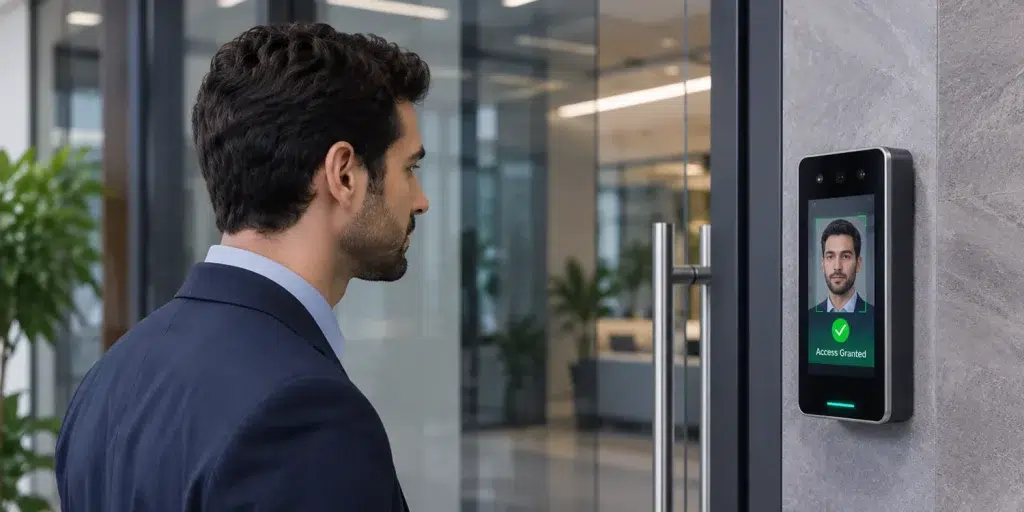
Imagine arriving at an office during the morning rush. Employees approach the entrance; a camera recognizes their faces, and the access-controlled door opens, no searching for an ID card. No entering a PIN. No unnecessary interruption.
For employees, the experience appears effortless. Behind that interaction, however, several technical decisions determine whether access should be granted.
The system must recognize the individual, establish a match with an enrolled identity, check the relevant access permissions, and communicate the decision to the door controller.
This is where facial recognition access control becomes more than a reader installed beside a door.
For enterprises, the challenge is balancing authentication accuracy, operational efficiency, cybersecurity, and biometric data protection. A designed solution must also integrate with existing security infrastructure and accommodate changing access requirements.
Understanding these considerations is essential before selecting and deploying a facial recognition access control system.
How Does Facial Recognition Access Control Work?
A facial recognition access control system uses technology to authenticate individuals through their facial characteristics.
During enrolment, the system captures information and converts relevant features into a mathematical representation known as a biometric template. This template is associated with an identity record.
When an individual approaches a reader, the device captures a new facial sample and compares it against the enrolled reference.
However, recognizing someone does not automatically authorize entry.
Consider four concepts:
- Identity: The individual represented by an enrolled record.
- Credential: Evidence used for authentication, such as a card or mobile credential. A facial biometric is an authentication characteristic rather than a possession-based credential
- Attribute: Information associated with the identity, such as department, employment status, or assigned role.
- Authorization: The decision determining whether that identity may access a door, area, or facility.
An employee may successfully authenticate through recognition yet still be denied access to a restricted server room.
The distinction is important. Authentication establishes confidence in who’s requesting access. Authorization determines what that person is permitted to do.
IDCUBEs Access360 ecosystem connects supported authentication technologies with centrally managed identities, access permissions, doors, and schedules.
This separates biometric identity verification from the process of enforcing physical access policies.
Understanding Facial Recognition Accuracy
Accuracy is one of the frequently discussed aspects of face access control, but a single percentage rarely tells the complete story.
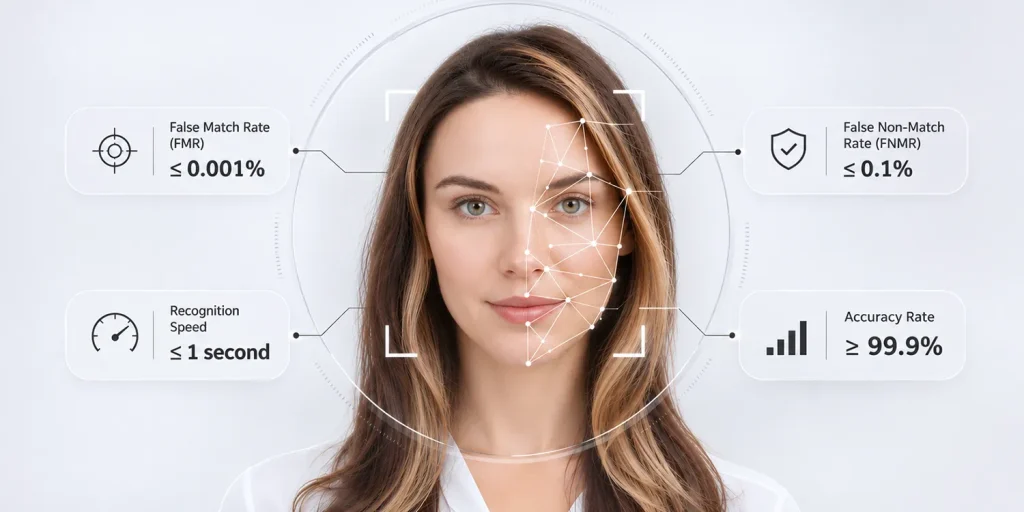
Facial recognition systems operate using similarity scores. The configured matching threshold determines how closely a captured facial sample must resemble an enrolled reference.
Two error measurements are particularly important.
- False Match Rate (FMR): The proportion of comparisons involving individuals that incorrectly satisfy the matching threshold.
- False Non-Match Rate (FNMR): The proportion of comparisons involving the individual that fail to satisfy that threshold.
A stricter threshold generally reduces matches but may increase false non-matches. A permissive threshold can improve convenience while increasing the risk of incorrect acceptance.
Consequently, a system configured for a corporate entrance may require different matching criteria from one protecting a critical infrastructure facility.
Verification Versus Identification
Facial recognition can operate through two matching approaches.
1:1 verification compares a captured face against an enrolled identity. This may happen after a user presents another credential or identifier.
1:1 identification searches a captured face against enrolled identities to determine whether a match exists.
Cardless entry commonly relies on identification against an enrolled population. Its accuracy and performance depend partly on the size and characteristics of that population.
The National Institute of Standards and Technology (NIST) evaluates these approaches through its Face Recognition Technology Evaluation program.
Actual deployment performance also depends on lighting, camera positioning, enrolment quality, facial angles, and environmental conditions.
Therefore, organizations should assess tested error rates, matching thresholds, and real-world throughput rather than relying exclusively on an advertised accuracy percentage.
Privacy and Biometric Data Protection
Unlike passwords and access cards, facial characteristics cannot simply be replaced after a data breach.
This makes biometric privacy a fundamental architectural consideration rather than an administrative formality.
A biometric template is not necessarily a photograph. However, when used to recognize a person, it remains personal information that requires appropriate protection.
Organizations evaluating facial access control should examine where biometric templates are stored, how they are transferred, who can access them, and how long they remain necessary.
Important safeguards include encryption, administrator access restrictions, audit logging, documented retention policies, and secure removal of records when no longer required.
Storage architecture also matters.
A centralized biometric database can simplify enrolment and multi-site administration. Conversely, device-based or credential-based template storage can reduce centralization risks depending on the implementation.
Neither architecture is automatically privacy-compliant.
Under the EU General Data Protection Regulation (GDPR), biometric data processed to identify individuals falls within special-category personal data. Organizations must establish the legal basis, applicable processing conditions, and safeguards.
India’s Digital Personal Data Protection Act, 2023, and the phased Digital Personal Data Protection Rules, 2025, also make personal-data governance an important consideration for deployments.
A privacy-conscious implementation should additionally provide information about biometric processing and a suitable alternative access method where necessary.
Convenience should never require employees to surrender control over their personal information.
Practical Deployment Considerations for Enterprises
Successful deployment depends as much on installation conditions and system architecture as on the recognition algorithm.
Reader Placement and Environmental Conditions
Camera height, capture distance, lighting, reflections, and movement patterns directly affect authentication performance.
A reader installed near an entrance exposed to changing sunlight may behave differently from one operating in an illuminated indoor corridor.
Installation planning must also account for varying user heights, accessibility requirements, and peak-hour queues.
Integration With Existing Access Control Infrastructure
Facial readers should operate within a physical access control architecture.
Integration requirements may include access controllers, electronic locks, turnstiles, HRMS platforms, attendance applications, and visitor management systems.
Where supported, Open Supervised Device Protocol (OSDP) provides reader-controller communication. OSDP Secure Channel adds encrypted communication, offering advantages over unencrypted legacy Wiegand interfaces.
However, OSDP support alone does not guarantee interoperability between vendors’ biometric templates.
Reader compatibility, enrolment synchronization, access-event mapping, and controller integration must therefore be validated independently.
Network Reliability and Operational Continuity
Another consideration is what happens when connectivity becomes unavailable.
Organizations should determine whether matching occurs locally or through a service, where access policies are enforced and which functions continue during network interruptions.
Controller-level continuity, local credential availability, and event synchronization after reconnection require testing.
Emergency egress must also remain compliant with life-safety requirements independently of biometric authentication availability.
A system that recognizes everyone accurately but stops working during a network outage is not an access solution.
How IDCUBE Brings Facial Recognition Into Enterprise Access Control
IDCUBE’s Access360 platform supports integration with facial recognition technologies as part of a broader identity and access management ecosystem.
Its integration with HID Amico facial recognition readers provides an example.
Through this integration, Access360 supports identity management, direct user enrolment, and distribution of facial templates to compatible readers without requiring separate middleware for the documented integration.
This connects authentication with centrally administered access permissions and operational workflows.
A Practical Example: ICICI Lombard

At its Mumbai head office, ICICI Lombard implemented IDCUBE Access360 Core as an on-premises access control and attendance platform.
The documented deployment includes:
- More than 3,000 enrolled employee identities.
- 36 HID Amico facial recognition readers with 7-inch displays.
- Integration with PeopleSoft for employee identity lifecycle management.
- Integration with the organization’s existing visitor management system.
Employees authenticate through recognition without presenting a separate physical credential.
The integration also connects access events with attendance records. PeopleSoft-driven employee changes support corresponding updates to access permissions.
The significance extends beyond touchless entry.
The implementation demonstrates how biometric authentication, employee identity records, authorization, and attendance can operate through an enterprise architecture.
Organizations can also consider IDCUBEs Access360 Helix for customer-controlled on-premises or private-cloud deployments or Access360.AI for cloud-based access management to the supported biometric integration and deployment requirements.
What Should Organizations Evaluate Before Deployment?
Before selecting a facial recognition access control system, organizations should establish requirements.
These include false-match and false-non-match rates, presentation attack protection, expected authentication throughput, and performance under actual lighting conditions.
Equally important are template storage arrangements, privacy controls, device compatibility, access-policy synchronization and operational continuity during connectivity failures.
A pilot deployment should involve users and realistic entry conditions. It should also measure authentication attempts, exception handling, and the time required to complete entry.
Finally define ownership of enrolment, access approvals, policy changes, incident reviews and employee offboarding.
Without governance, even a technically capable system can accumulate outdated records and excessive permissions.
Recognition Is One Part of Trusted Access
Facial recognition can simplify how individuals enter workplaces while reducing dependence on transferable physical credentials.
However, the effectiveness of access control facial recognition technology depends on more than matching faces. Accuracy determines the reliability of authentication. Privacy controls govern the handling of biometric information. Integration connects recognized identities with access permissions.
IDCUBEs’ approach brings these considerations together through biometric devices, centralized identity management, and connected enterprise access workflows.
The objective is not simply to make doors recognize people. It is to ensure that the right individuals receive the access under the right conditions with a process organizations can trust and manage over time.