










Visitor Management Kiosk: Reduce Reception Bottlenecks & Secure Visitor Access
Think of the large self-service kiosks commonly seen at airports and metro stations. These purpose-built machines combine touchscreens, scanners, printers, document readers, and other dedicated hardware. They suit high-volume public environments, but they also require more space, hardware, maintenance, and investment than a typical enterprise reception area needs.
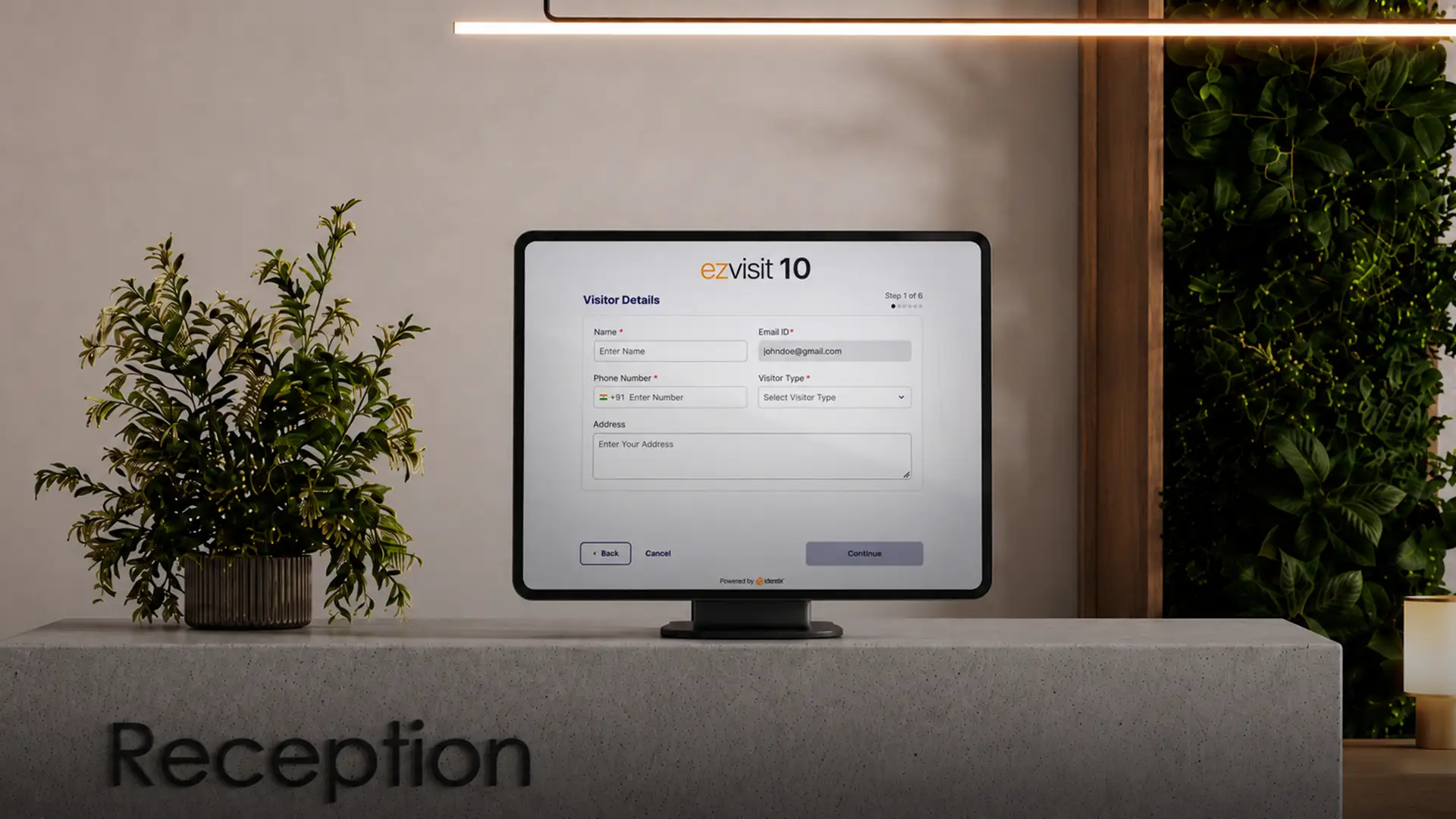
Enterprise Visitor Management follows a simpler model. In enterprise reception, a modern Visitor Management Kiosk takes the form of a compact tablet placed at reception or near the entry point. The familiar touchscreen gives visitors an easy digital interface for registration and check-in, while the wider Visitor Management system connects that interaction with approvals, visitor credentials, host workflows, and physical access control.
In an enterprise setup, the kiosk does not operate as a standalone check-in point. It becomes one digital touchpoint within a connected visitor journey, while approval, verification, credentials, and physical access rules remain part of the wider system.
How does a Visitor Management Kiosk reduce reception bottlenecks?
A Visitor Management Kiosk reduces reception bottlenecks by moving repetitive arrival tasks from the front desk to guided self-service.
Instead of waiting for reception staff to enter information, identify the visit, confirm details, or complete routine check-in steps, visitors handle these actions through the kiosk interface.
This becomes particularly useful during peak arrival periods. A corporate office, for example, often receives customers, interview candidates, vendors, contractors, and other visitors within the same morning window. Processing every arrival manually puts unnecessary pressure on reception staff and increases waiting time.
Self-service distributes that workload. Visitors who are comfortable using the digital interface complete routine steps independently, while reception or security teams focus on visitors who need assistance, policy exceptions, or additional support.
The kiosk therefore does not remove the reception function. It reduces repetitive front-desk processing and allows staff to focus on situations where human involvement adds the most value.
How do pre-registered and walk-in visitors use the kiosk differently?
Pre-registered and walk-in visitors reach the kiosk at different stages of their journey.

Pre-Registered Visitor
A pre-registered visitor already has an appointment created before arrival and has received an appointment ID. The appointment is created either by the host or through a self-registration web form shared with the visitor by the host. The approval workflow is completed before the visitor arrives. At the facility, the visitor enters the appointment ID at the kiosk and completes any additional information or validation steps, such as mobile number validation, to generate a visitor pass or virtual credential.
Pre-registered: Appointment created before arrival → Enter appointment ID → Complete check-in → Visitor Pass/ Virtual Credential is Generated/ Delivered
Walk-In Visitor
A walk-in visitor begins the process after arrival. The visitor enters the required details, including the purpose of visit and host information. The request then follows the defined approval and verification process. Once the process is complete, the visitor receives the virtual visitor pass or virtual credential through SMS or WhatsApp.
Walk-in: Arrive → Register → Approval and verification → Complete check-in → Receive virtual visitor pass or credential via SMS/ WhatsApp → Follow approved entry workflow
What determines whether a visitor uses self-service or assisted check-in?
Two factors usually determine this.
First, tech-savvy visitors who are comfortable using a tablet and receiving a virtual visitor pass or virtual credential can complete self-service check-in independently. Visitors who need help with the process can use an assisted workstation.
Second, some visitor types, such as long-term visitors, contractors, vendors, or visitors entering restricted areas, require additional verification or credentialing. Where the process uses specialized hardware such as a visitor document scanner, national ID card reader, signature pad, smart card reader, smart card printer, or visitor pass printer, an assisted visitor pass generation workstation is more practical than a compact tablet-based kiosk.
How does kiosk check-in connect with physical access control?
As the visitor completes the check-in process, including verification and approval through the kiosk, they receive a virtual credential through SMS, email, or WhatsApp.
The virtual credential can be a PIN, QR code, or Apple Wallet/Google Wallet credential. It remains valid for the duration of the approved visit and can follow additional access restrictions, such as anti-passback or limits on credential use.
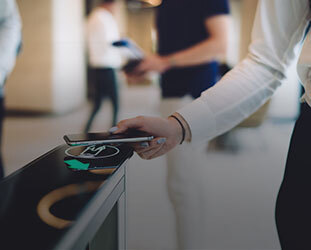
The visitor presents the credential at the corresponding reader to gain access through a flap barrier, turnstile, or other controlled access point.
Where facial access is configured, the face registered during the kiosk process can also serve as a credential at a compatible access point.
Where does a Visitor Management Kiosk add the most value?
A Visitor Management Kiosk is relevant across industries with both light and heavy visitor traffic. It becomes especially useful where organizations handle frequent or high-volume visitor arrivals.
This includes enterprise headquarters, manufacturing facilities, schools, colleges and universities, corporate campuses, and other sites where many visitors arrive within the same period.
In these environments, kiosk-based check-in helps visitors complete routine steps independently, reduces repetitive reception work, and keeps staff available for assistance or exception handling.
For bulk visitor management, ezvisit10 supports group and bulk invitations so visitor information and approvals can be completed before arrival. When visitors reach the facility, kiosk-based check-in reduces the information they need to enter on site and helps streamline the arrival process.
What should organizations evaluate before selecting a Visitor Management Kiosk?
The kiosk should fit the organization’s visitor policy and existing security environment.

Security and facility teams should evaluate:
- Which visitors use self-service and which need assistance?
- Which verification steps require specialized hardware? (Mobile OTP validation, document upload, photo capture, and signature capture can be completed digitally, while steps such as national ID smart-chip reading may require dedicated hardware or an assisted workstation.)
- Which virtual credentials will the organization support? (Options include PINs, QR codes, Apple Wallet or Google Wallet credentials, and facial credentials.)
- Does the access control system support these temporary credentials? (It should receive and validate credentials issued through the kiosk-based visitor process.)
- Is the kiosk suitable for unattended visitor use? (The hardware should be robust, the screen large enough, the interface easy to navigate, and the software should restrict unauthorized or unintended use.)
- How do online registration, kiosk check-in, and assisted processing work together? (The process should remain connected without unnecessary repetition.)
Faster reception without disconnecting security and access control
Kiosk-based Visitor Management moves routine check-in to self-service while keeping approval, verification, and access policies in place.
With ezvisit10 on Access360, IDCUBE connects visitor management and physical access control in one platform. Ten built-in visitor flows support pre-registration, kiosk-based and assisted pass issuance, host approvals, and temporary visitor credentials. Access360 authenticates supported credentials, including PINs, dynamic and static QR codes, BLE, facial credentials, Apple Wallet, Google Wallet, and smart cards at connected access points. Host mobile interfaces further support approvals and visitor workflow management.